Really? Are you saying that when the module achieves a lock on it’s position, it tells you that the area is not serviced? What does the message look like?
“The module is not in service area", the module does not work in certain areas, meaning nations.
Here the official announcement: Quectel responds to the House Select Committee on China request
and also found a white paper saying: <<…Furthermore, we have taken the unique step of technically disabling our products from functioning within Russia, a measure unmatched by any of our competitors.2023-02-01…>>
For example, updates on the lte modules Quectel_module_RxxAxxMxx_xx.2xx.xx.2xx are restricted and note that after flashed this version, you cannot roll back the restriction.
All this reminds me the FCC loocked of some channels on the qualcomm radios for the US market unlike international ones but n this case the loock is qualitative not subjective,to block the use of a gps would have to define a database with national borders to not afflict without distinction…!
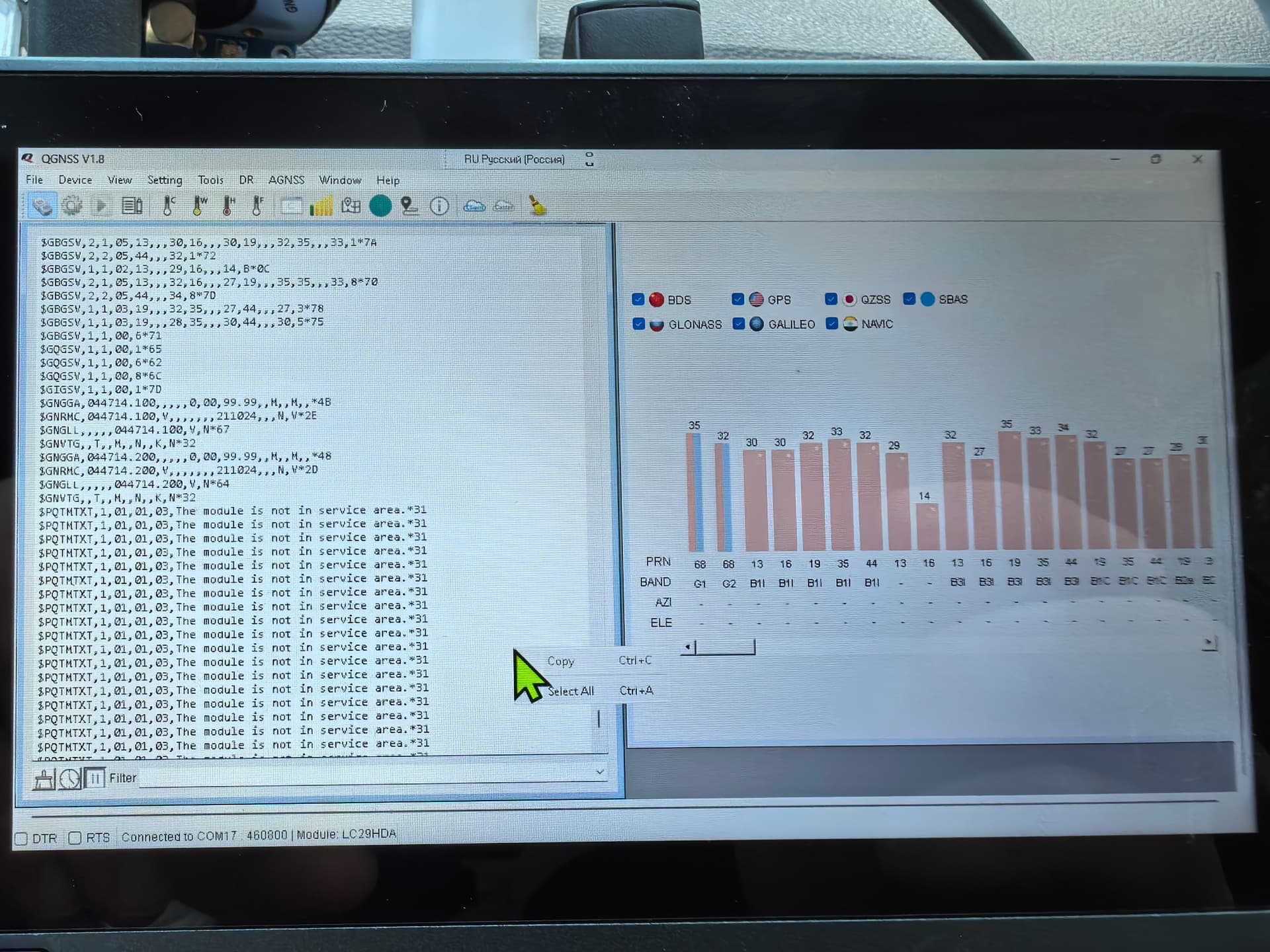
Does this mean that the only option to force the LG290P is to change its location?
Quectel должен решить эту проблему!
Wow, that’s taking sanctions seriously. But to Haronvrn’s point, if he is really in Kazakhstan and not in Russia, then the geographic boundaries would appear to be not very accurate…
Yes, but I understood from the Quectel manifesto that the definition of zones is not based on geographical boundaries (the receiver does not have the coordinates of the sanctioned states hardwired), but is somehow more complex and interesting
Hello All,
I have the same PCB board MOZIHAO, but I’m not able to get it flashed by QGNSS tool.
I’m having this issue.
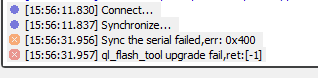
does anyone know?
thx
C
Hi @carlitos18
Please use the “$PQTMVERNO*58” command to check the version of the module and let me know.
The download link for QGNSS is as follows:https://www.quectel.com.cn/download/qgnss_v1-4
I have sent you the relevant information via email, please check.

I had the same problem. The solution is simple: disconnect the gnss board from the usb and leave the firmware part on, make sure the baud rate is set to 460800, if not reset the module and repeat the steps, if everything is set to 460800 connect the module and press the start icon. The module is set to check if it receives the update command when it starts and will automatically check and update, it took me 5 hours to find the problem