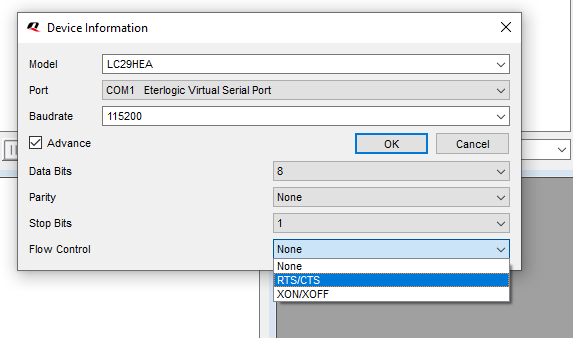
Answered my own question:
Used ser2net on the raspberry pi to pipe USB0 to port 3333 using the following yaml config file:
define: &banner \r\nser2net port \p device \d [\B] (Debian GNU/Linux)\r\n\r\n

connection: &con0096
    accepter: tcp,0.0.0.0,3333
    enable: on
    options:
      banner: *banner
      kickolduser: true
      telnet-brk-on-sync: true
    connector: serialdev,
              /dev/ttyUSB0,
              115200n81,local
restart ser2net service with sudo systemctl restart ser2net
on windows client with QGNSS sotware
- install VSPE
- In VSPE create a virtual connector
- In VSPE create TCP client connecting the COM port to the raspberry pi IP address and port
- Launch QGNSS and connect to the COM port you created in VSPE, but click on advanced options and choose RTS/CTS flow control