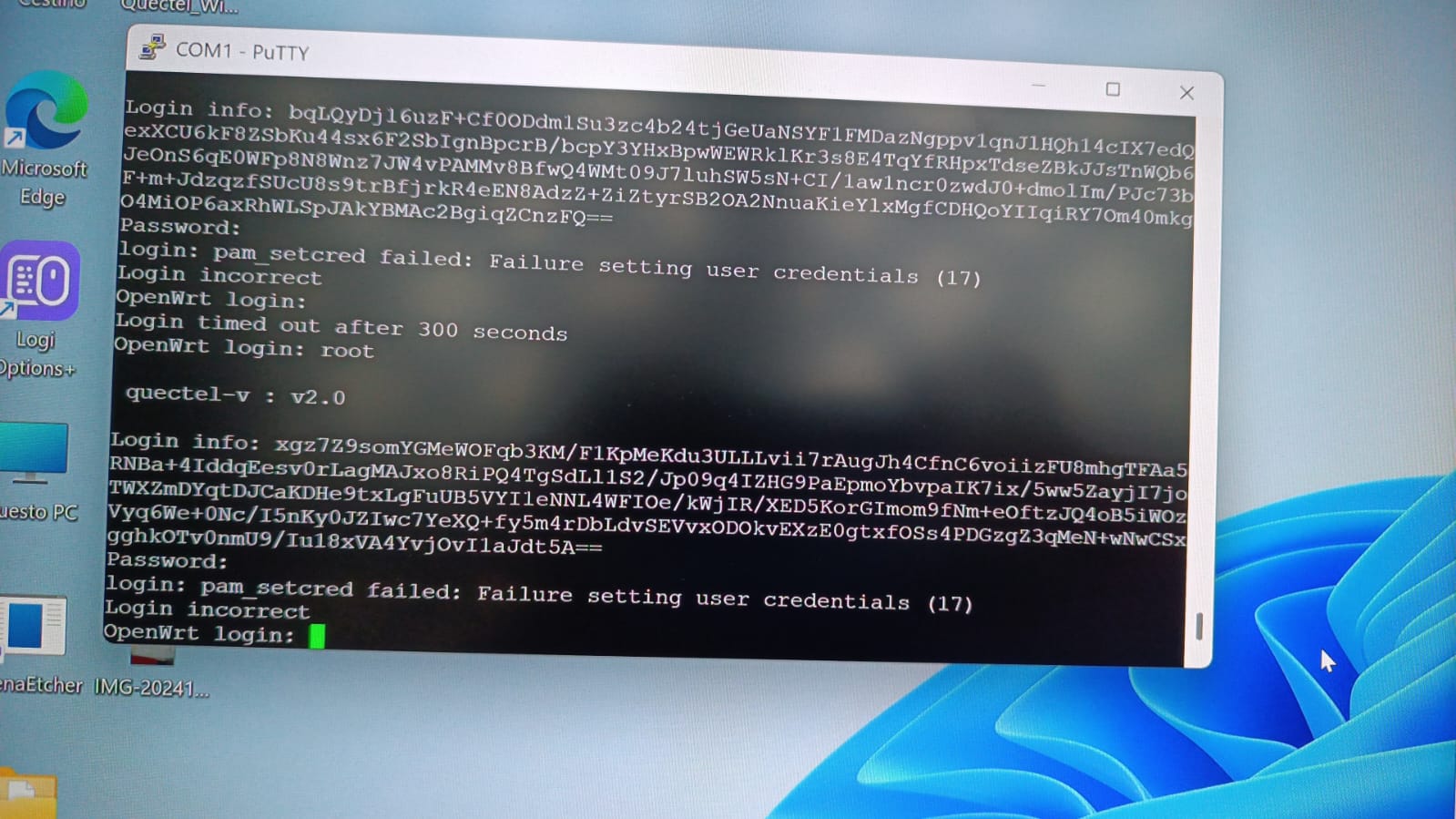
sorry for inconvinence, after internal confirmation, this password has a time limit and will change every time the computer is turned on. Please generate a new one.thanks~
due to this time limitation is possible to schedule our login info/password exchange information ? I think that you have 7 hours ahead compared to Italy local time.
When we can schedule it or otherwise there is another way to restore RM551 factory default ? I hope to hear from you soon.
I will send you the firmware.
You can try
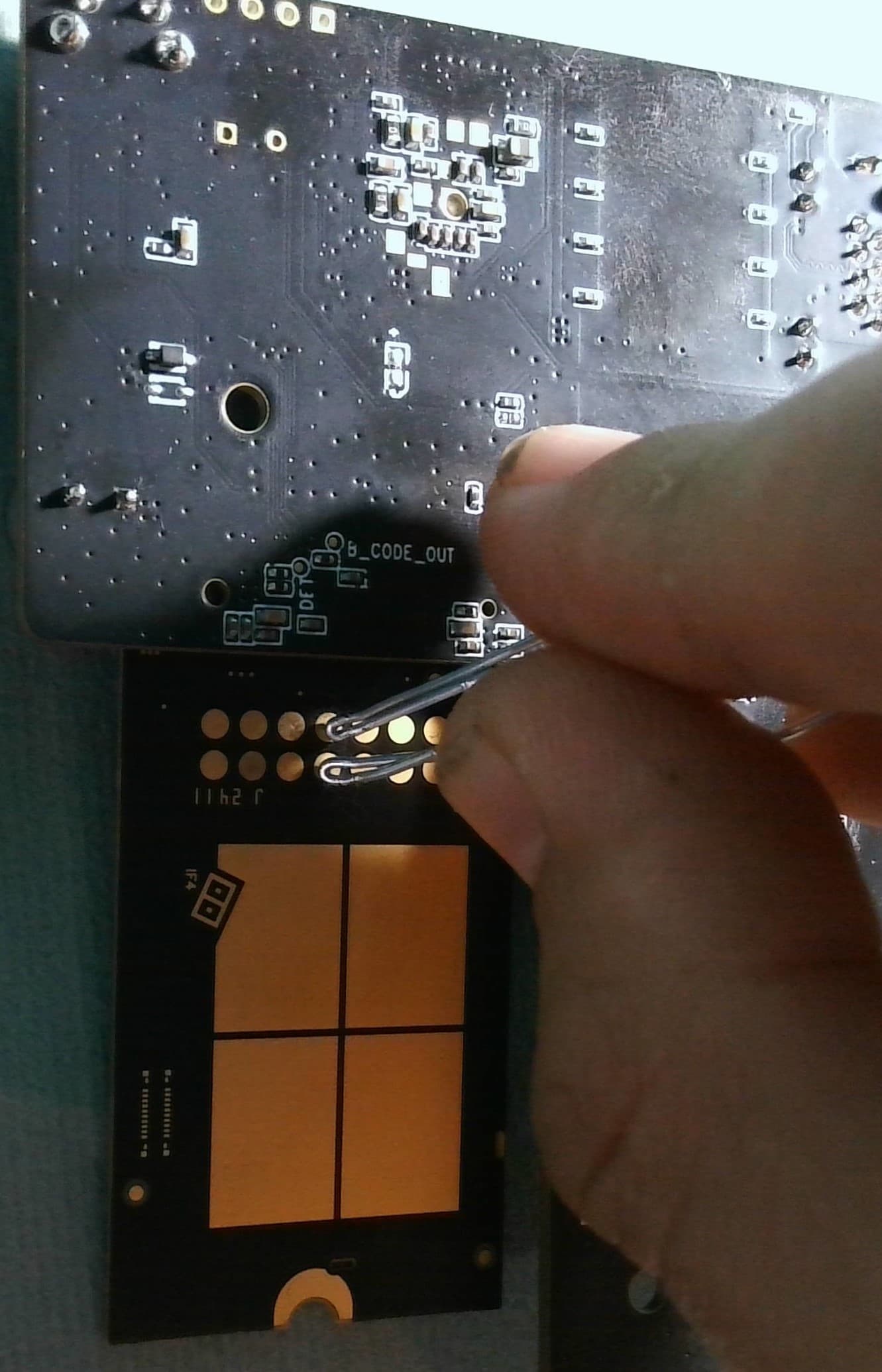
Short the USB_BOOT with the 1.8V, and then if you power up the module, the module will enther EDL mode (Download mode).
I’m very sorry but after many attempts there is no way to enter in EDL mode. I read somewhere you have a chat box for quick responses. Is it possible to use it to have the openwrt password before it expires? Could you say us what do I have to do after this step? Could we fix an appointment? Thanks and best regards
I am very sorry about that.
Now the USB Host cannot recognize this module, and you cannot flash it. I have no other solution
.If you want to login to this module, you must log in through the debug port and input the passwd before the serial port password expires.
Thank you very much but as already written “due to this time limitation is possible to schedule our login info/password exchange information? I think that you have 7 hours ahead compared to Italy local time.
When can we schedule it?” I’m sorry but this is the only option we have. Best regards
hi @minkows could you please resend the login info to me in message at 4:30 pm Beijing time today, i will generate the passcode for you witnin 5 mins, thanks~
Good morning Niki Liu,
In this period I’m working a lot. I will contact you when I will be ready for your help. I will offer more dates to choose for our meeting. Thank you very much for your contribution. Best regards, Paolo
Good morning,
Yesterday I had some problems with the pin contacts but it was impossible to advise you due to messages limitation. Vukasinovic (Quectel Europe-Serbia) kindly help me with the openwrt password but I got many times an impassable error and he suggests me to contact you. Check please the picture I attached.
Thanks and best regards
You can enter EDL by shorting the 2 pins on the back before/during inserting the USB to your PC.
QDloader should instantly show up in windows device manager. No idea what it looks like in Linux, probably a ttyUSB device.
I usually completely avoid that annoying Quectel login binary but you need to have ports working to enable ADB through AT command. (Do ports show up on windows?)
You can actually generate the ADB unlock code yourself without any help from support from taking the response from AT+QADBKEY? and inputting it here:
Then you can enable ADB using the AT+QCFG=“usbcfg” command (the 2nd to last variable in the response is adb 0 disabled 1 enabled)
Hi Cameron,
Thanks for your kind help. I tried in many PC and there are not com and LPT ports on windows. There are not unknown device or yellow mark in device manager when I connect the adapter and it’s impossible to execute an at command. Thanks and regards