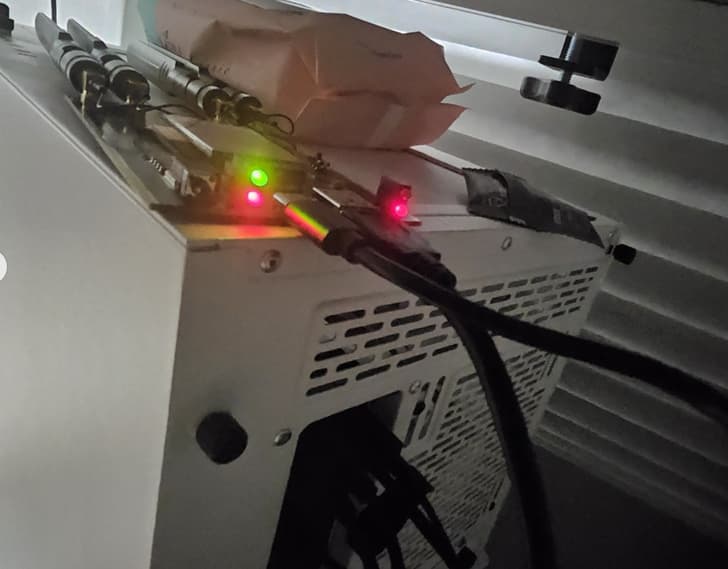
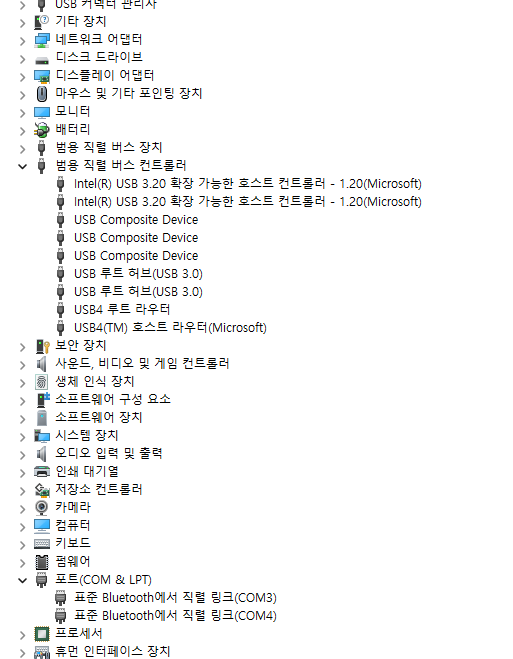
I am having trouble getting my RM520N-GL module to be recognized when using the M.2 B-Key NGFF→USB 3.0 adapter on a Windows 10 desktop. So far, I have downloaded and installed the following drivers:
Quectel_Windows_USB_Driver(Q)_MBIM_V1.3_EN
Quectel_Windows_USB_Driver(Q)_NDIS_V2.7_EN
quectel_lte_windows_usb_driver_rndis_v1-1
quectel_windows_usb_driver(U)_V1.0_EN
When I connect the adapter via a standard USB-A to USB-A cable, both ends light up red, but nothing appears in Device Manager. When I use a USB-C to USB-A cable, the USB-A end lights red and the USB-C end lights blue, yet again the desktop does not detect any new hardware.
I have tried multiple ports and cables without success. Could you please advise on any additional drivers, firmware, or configuration steps required to get this adapter and module properly recognized on Windows 10?
sorry if i’m not on topic, but be careful switching on a board device over a conductive surface as pc metal case, it cold produce fireworks and damages
“Since the modem doesn’t have a USB interface, how should it be connected instead? I see what looks like a USB or USB-C port — what are those used for? Does this mean the device is not intended for use with a PC?”