Following setup:
Raspberry PI5 with original PSU.
RM520N-GL 5G modem
Waveshare PCIe to M.2 4G/5G and USB 3.2 HAT
For whatever reason, the Modem does not start and is not recognized
The USB ports of the Hat are functional.
Red power led is on
Green led for network connectivity remains off.
I am working on a project to connect the RaspBerry via 5G to the WWW.
SIM card is functional and connecting to 5G provider in different devices.
Attached a few pictures of lsusb, lspci and la /dev outputs.
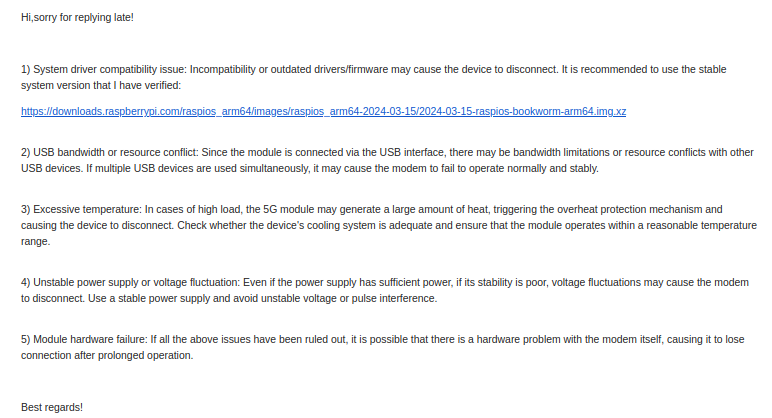
I’ve been in contact with the waveshare support, they were kind to create a video showing process of connecting hardware and how the LS output should look like.
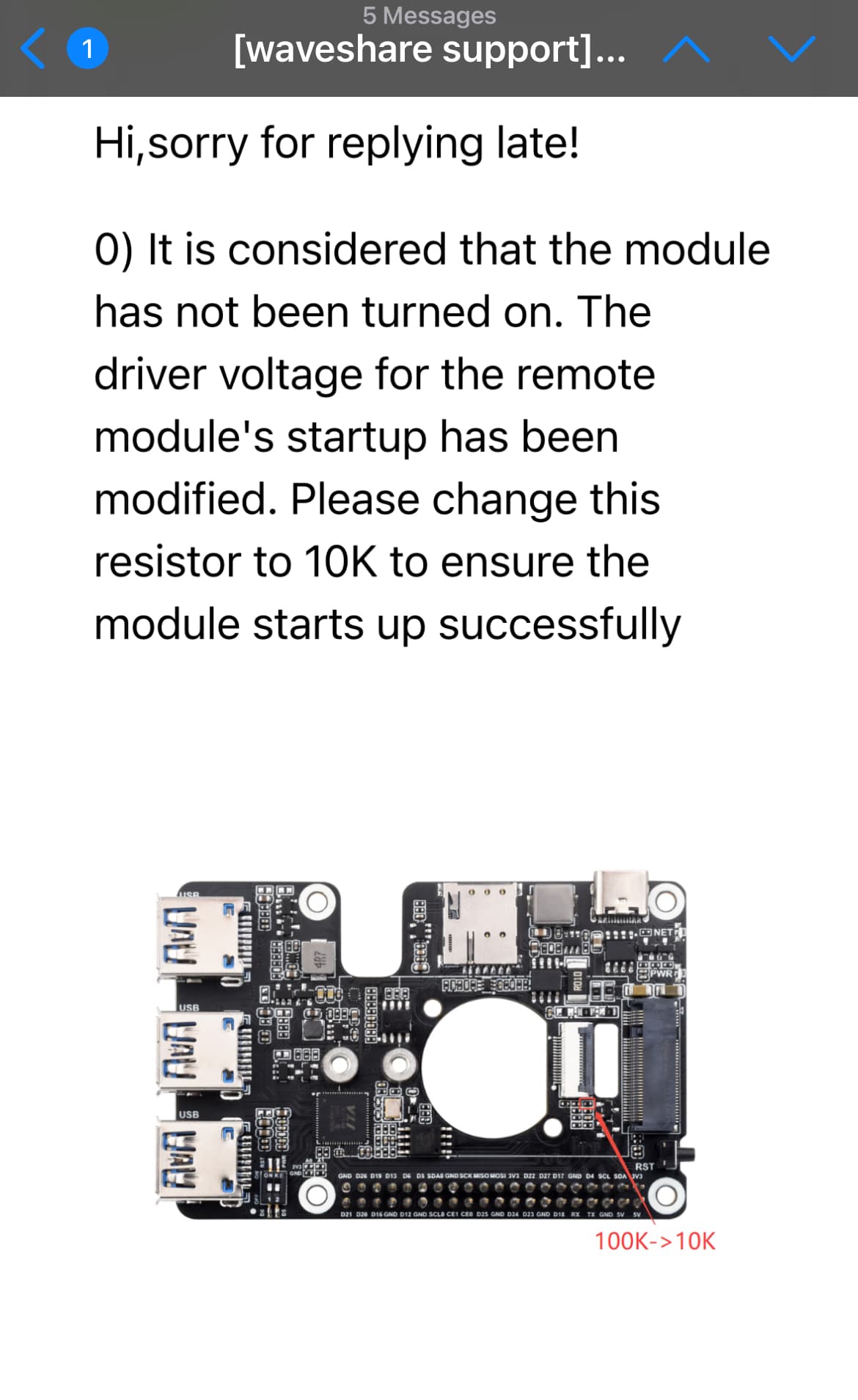
The last advice they sent was to change a specific resistor from 100k to 10k - which is kind of ironic if they ask to physically change it from the hat (picture attached).
@Someone I’ve actually been able to consistently detect the RM520N-GL on the Waveshare PCIe-to-M.2 HAT with a Raspberry Pi 5. In my case the modem usually initializes correctly and provides decent download speeds, but on a few devices I’ve seen intermittent module disconnections. These can happen immediately after boot or only after long uptimes (sometimes weeks).
From debugging so far, this appears to be related to undervoltage / power stability. I’m currently using two Raspberry Pi power supplies — a 27W PSU to the HAT and a 45W PSU to the Pi (both official Raspberry Pi supplies). This may be overkill, but it improved stability somewhat.
I’ve tried a number of things:
swapping modules between nodes
moving between power extension cables vs direct wall outlet
disabling Wi-Fi and Bluetooth
disabling CPU boost to reduce power spikes
I’ve also noticed that after a disconnect, removing power and rebooting usually brings the modem back temporarily. However, after some runtime I’ll see undervoltage events again and eventually the module drops off USB entirely and is no longer detected.
In many cases the nodes can continue running while undervoltage warnings are logged, but eventually the RM520 disappears (USB disconnect) and only returns after a full power cycle. This makes me think the issue is marginal power delivery under load rather than the module never initializing.
Waveshare actually got back to me today but I think we are going to need to do some back and forth to really try to narrow it down.
hi everyone, I am on a similar situation, RM520N-GL not detected at all on Raspberry PI5, usb ports are ok but modem is never see, led remain red, nothing see. If you have an idea (I try but really not detected)