Hi,
We are using the Quectel LC29HCA GNSS module. The module is able to acquire a valid satellite fix, but the PQTMDRCAL NMEA message continuously shows the status “DR not calibrated.”
As per the “Quectel_LC29HBA_CADAEA_DRRTK_Application_Note_V1.4”, there are steps mentioned for DR calibration. Could you please confirm:
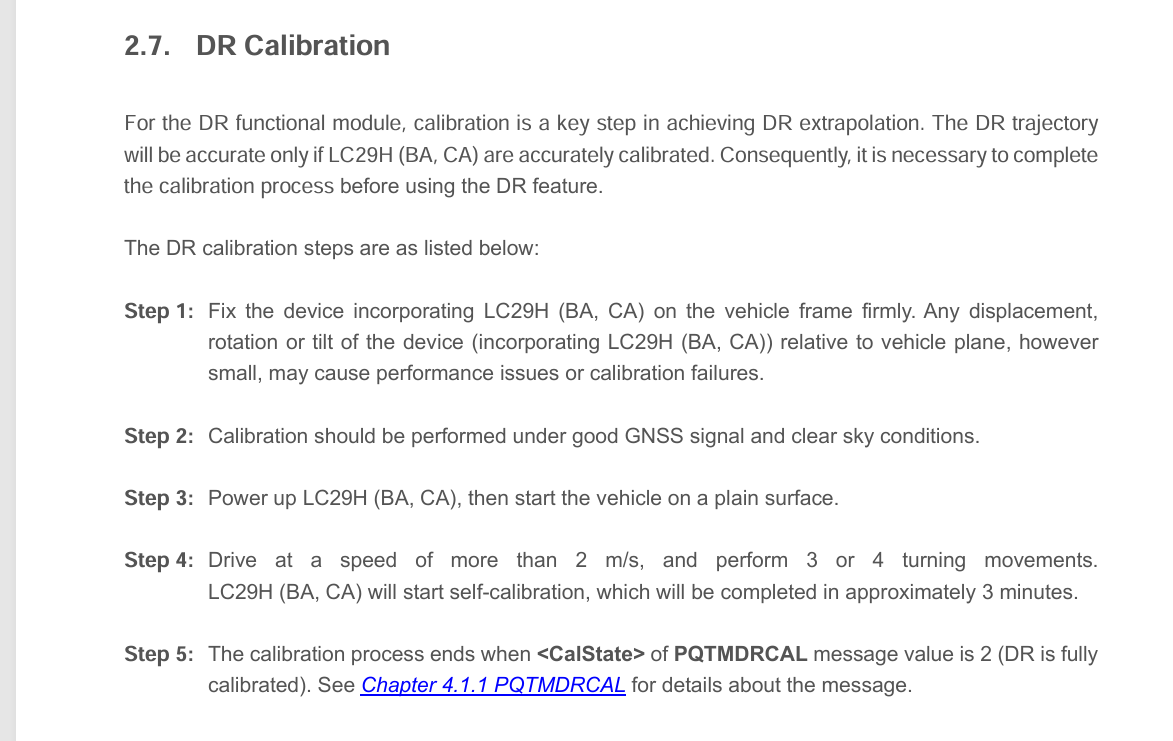
When DR calibration process runs automatically, Does it require motion and turns as mention in DR calibration steps?
To do manual calibration, what is the procedure?
Note: We are not using wheel tick input in our setup.
Q1:Yes, it is need. Please drive in a figure-eight pattern around the square for about 3 to 5 minutes, and you will be able to successfully calibrate smoothly. Refer this step:
Q2: This module is automatically calibration.
About Note:This modle is support UDR mode, which don’t need wheel tick input.
Note: Please Ensure that the module is firmly mounted to the vehicle body to prevent any relative movement. Avoid exposing the vehicle to conditions such as frequent vibration and high temperature.
We are currently using Quectel LC29HCA module and its verno is LC29HCANR11A05S_DSA4.
Our requirement is to access the IMU X-axis and Y-axis values (accelerometer and gyroscope) directly — we only need the raw IMU data, not the DR (Dead Reckoning) output.
From the LC29HBA/C/A DR RTK Application Note, it is mentioned that raw IMU data are available only in the 2-wheeler firmware through PQTM messages (e.g., $PQTMSENMSG, $PQTMIMUINFO).
Could you please confirm:
Whether it is possible to access “accelerometer and gyroscope X/Y-axis values” in the 4-wheeler firmware?
If not, is there any option or configuration to enable IMU raw data output without switching to the 2-wheeler firmware?
I am sorry made a mistake before, for now, i have figure out the right way to meet your requirement. Firstly, I have sent the latest firmware of LC29HCA to you through email, you should upgrade the latest firmware. Bevause subsequent opration is supported by latest frimware. Then, you could use these command as follows to access imu rawdata:
STEP 1) $PQTMCFGMSGRATE,W,PQTMSENMSG,10,17F
STEP 2) $PQTMSAVEPAR5A
STEP 3) RESET the module