NPU Image Classification Demo on PI-SG565D (ResNeXt50 + ImageNet)
Overview
The PI-SG565D board leverages NPU acceleration for deep learning applications such as:
-
Image classification
-
Object detection
-
Semantic segmentation
In this demo, we deploy a ResNeXt50 quantized model trained on the ImageNet dataset for image classification. This model can also serve as a backbone for more advanced custom AI applications.
Model & Files Download
Download the required files below:
-
ResNeXt50 Quantized Model (*
resnext50_quantized.tflite) -
ImageNet Labels (*
imagenet_labels.txt)
Deploy Files to Device via ADB
Connect the device via ADB and push the required files into the /opt directory:
adb push "C:\Users\yikai.chang\Downloads\resnext50_quantized.tflite" /opt
adb push "C:\Users\yikai.chang\Downloads\imagenet_labels.txt" /opt

Push Demo Video (Required)
Important: The demo will not run properly without a video file.

Push the sample video into the device:
adb push "C:\Users\yikai.chang\Downloads\video11.mp4" /opt
You may replace video11.mp4 with your own filename if needed.
Hardware Setup
Ensure the following are properly connected before running the demo:
-
Display output (HDMI or MIPI)
-
In this example, a MIPI 8-inch display is used
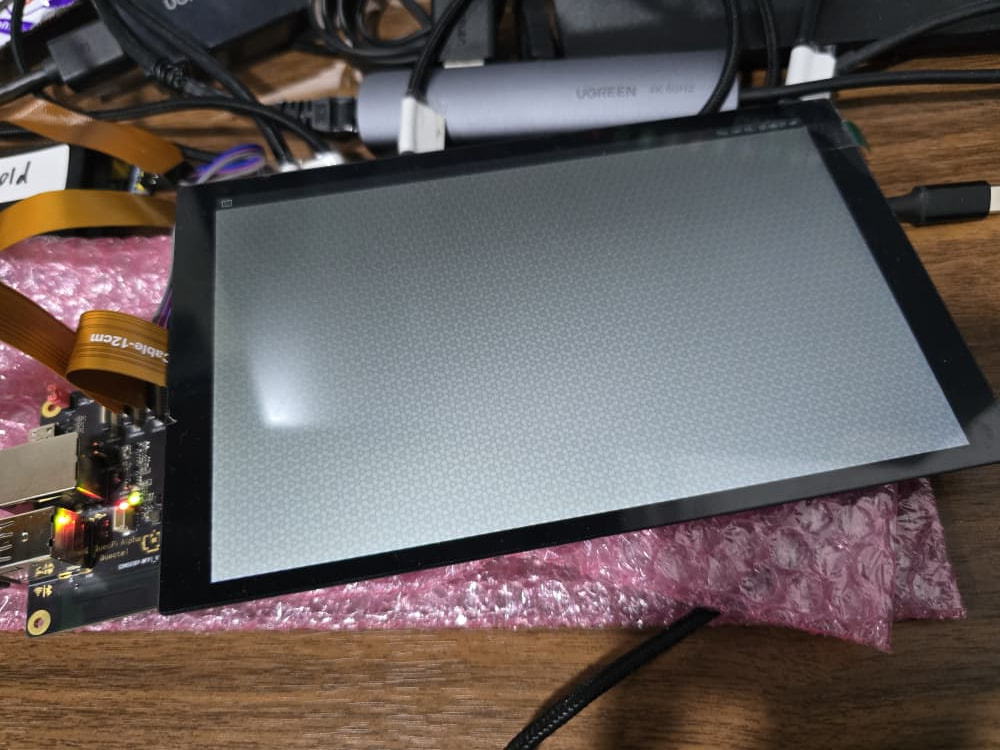
Environment Setup
Configure Wayland display environment:
export XDG_RUNTIME_DIR=/dev/socket/weston
export WAYLAND_DISPLAY=wayland-1
Run NPU Classification Pipeline
Execute the following GStreamer pipeline to start real-time inference:
gst-launch-1.0 -e --gst-debug=2 \
filesrc location=/opt/video11.mp4 ! qtdemux ! queue ! h264parse ! v4l2h264dec capture-io-mode=5 output-io-mode=5 ! queue ! tee name=split \
split. ! queue ! qtivcomposer name=mixer sink_1::position="<30, 30>" sink_1::dimensions="<640, 360>" ! queue ! waylandsink sync=true fullscreen=true \
split. ! queue ! qtimlvconverter ! queue ! qtimltflite delegate=external external-delegate-path=libQnnTFLiteDelegate.so \
external-delegate-options="QNNExternalDelegate,backend_type=htp;" model=/opt/resnext50_quantized.tflite ! queue ! qtimlvclassification \
threshold=35.0 results=5 module=mobilenet labels=/opt/imagenet_labels.txt extra-operation=softmax \
constants="Resnetnet,q-offsets=<30.0>,q-scales=<0.06314703077077866>;" ! video/x-raw,format=BGRA,width=256,height=144 ! queue ! mixer.
Notes
-
The highlighted section can be modified depending on your video filename.
-
Ensure all required files exist in
/optbefore execution. -
Missing video or model files will cause pipeline failure.
Expected Output
Once executed successfully, the display will show:
-
Live video playback (overlay window)
-
Real-time classification results from NPU inference
-
Top-5 predicted labels from ImageNet dataset
Example Behavior
-
When the video shows a single object (e.g., “cock”), the model outputs one dominant class.
-
When multiple objects appear (e.g., “cock and hen”), multiple classification results may appear depending on confidence scores.
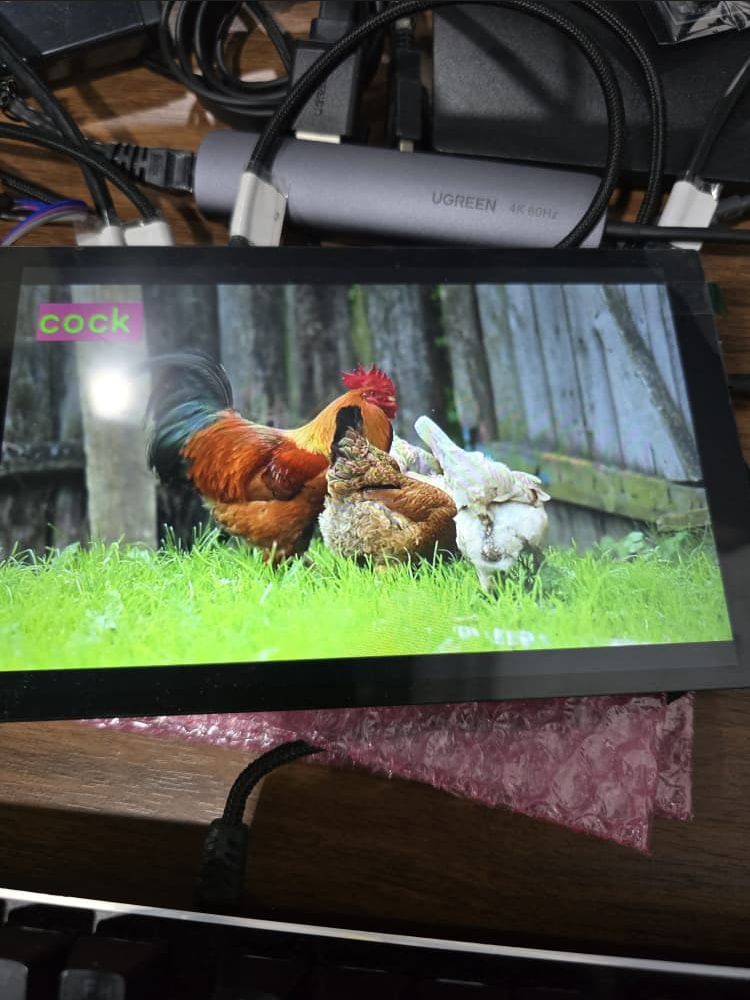
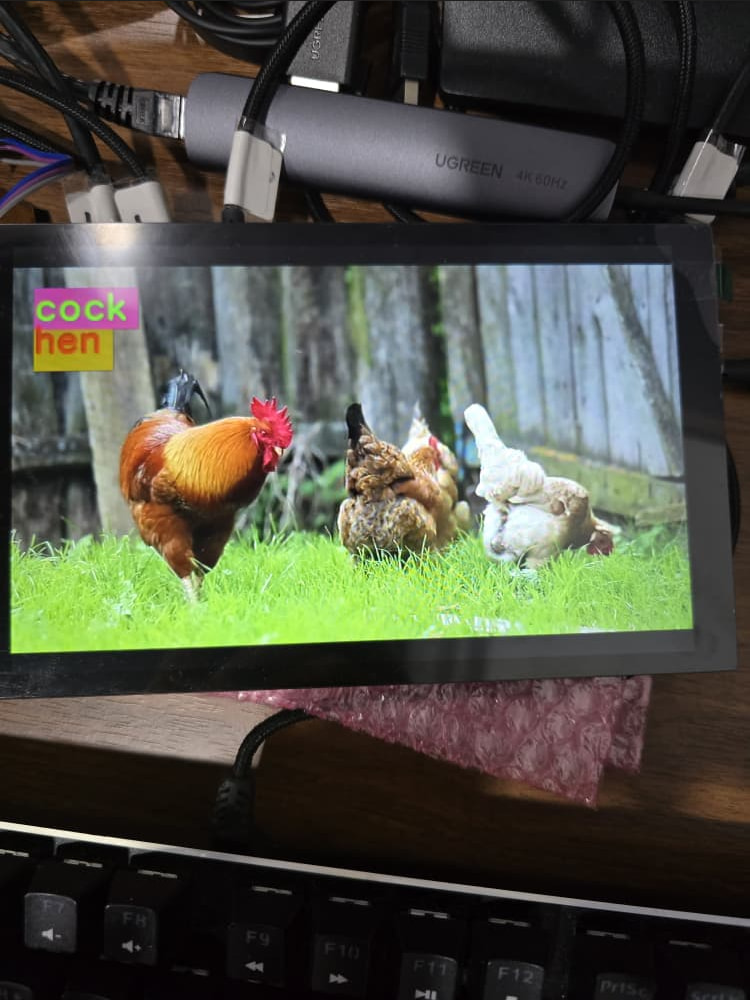
The label mapping can be referenced from imagenet_labels.txt.
Summary
This demo demonstrates how the PI-SG565D NPU can efficiently run ResNeXt50 image classification using TensorFlow Lite with hardware acceleration, while simultaneously processing video input in real time.