QGNSS can be used for testing GNSS performance. This demo video introduces how to use QGNSS on Quectel module.
1 Like
QGNSS can be used for testing GNSS performance. This demo video introduces how to use QGNSS on Quectel module.
Please send me the download link of powerGPS v1.5.5 software.
Is it a Quectel Tool?
Hi, I’m testing my LC29HDA by QGNSS 2.0.
Module receives and calculates some position data, however no information appear on the detailed views ( satellites, power, etc.monitors are completely empty). Can it be a firmware issue, or do I configure something wrong?
Thanks @bamarcant,
However, I tried both, none of those work. Screen I get is still like:
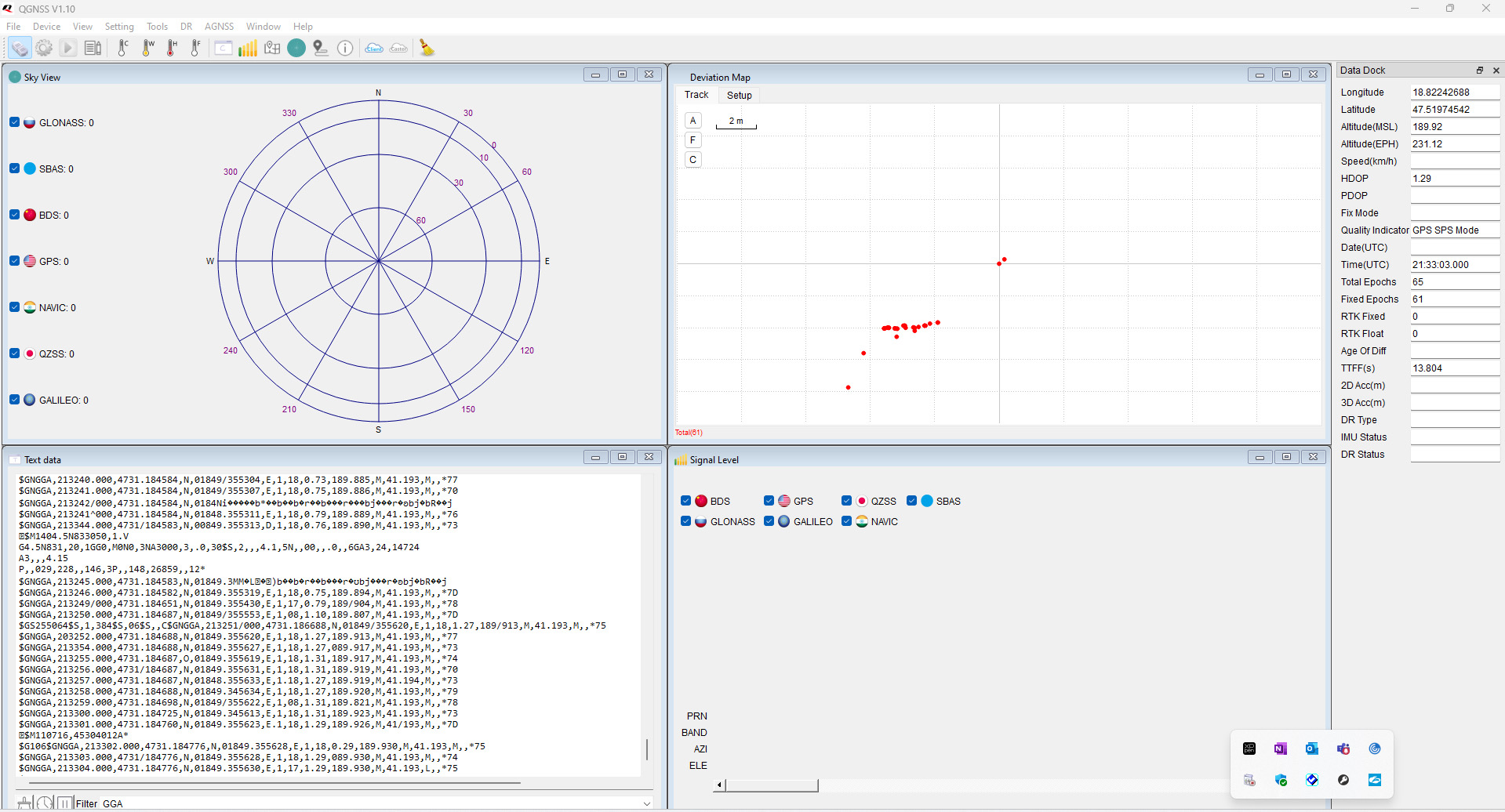
Thanks @bamarcant , …picture doesn’t change this way either..:
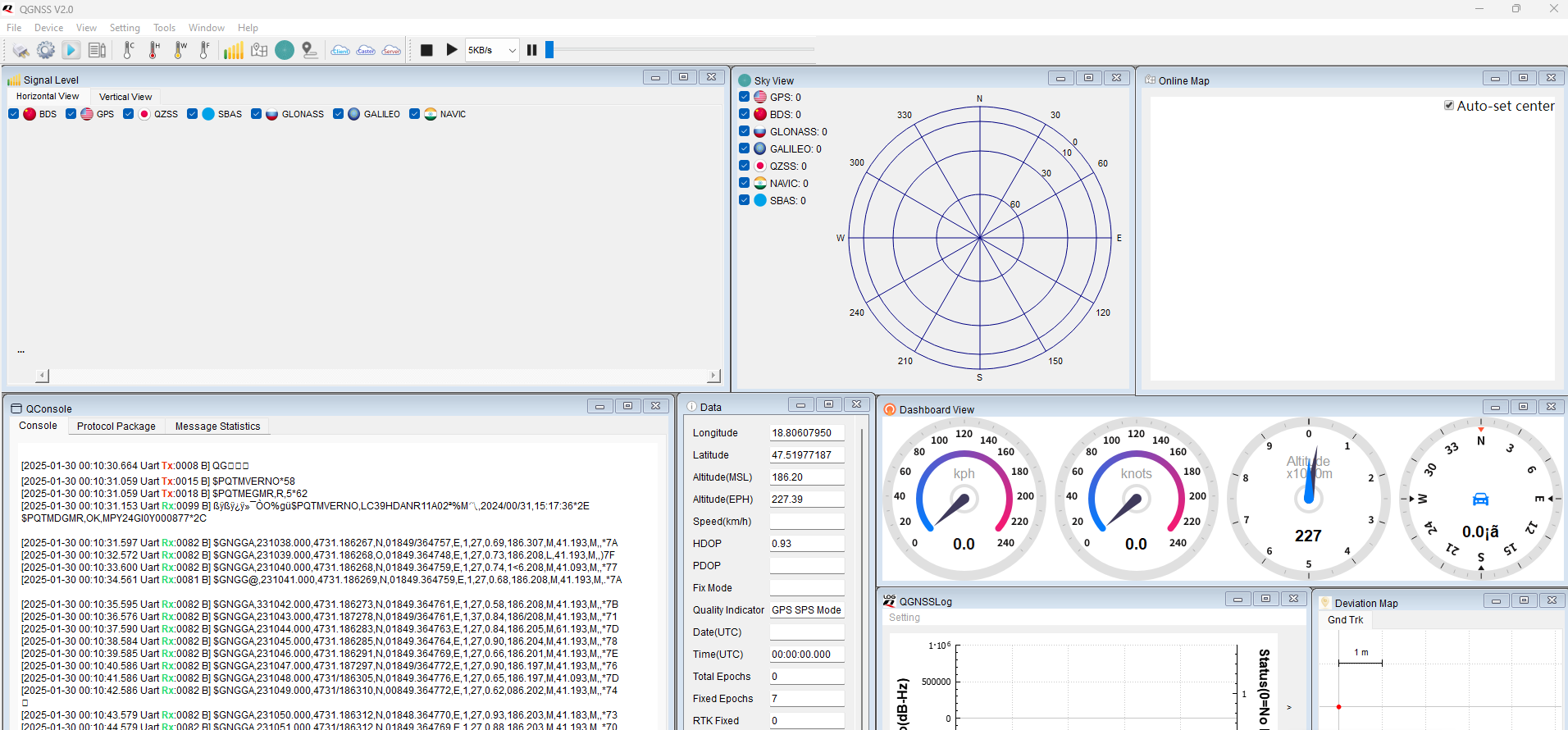
Usually the lc29hda version is for default in rover mode…
However,checks and tries to execute this set of commands:
When executing commands, note the response and copy/paste for debug
$PAIR382,1*2E → Test command for lock system sleep enabled
$PAIR003*39 → power off GNSS system
$PAIR512*3C  clear data
$PAIR514*3A  Clear the current configuration and restore the default settings set via $PAIR
$PQTMRESTOREPAR*13   → Restores all parameters set via $PQTM
$PAIR023*3B   reboot  module
$PAIR003*39 → power off GNSS system
$PQTMCFGRCVRMODE,R*32  ask result
if not in rover mode (1) do
$PQTMCFGRCVRMODE,W,1*2A         Set Rover mode
$PAIR063,-1*0F  ask for all nmea status: see pos. after -1 (all sequence with 1,1,1,1,1....)
if not do
$PAIR062,-1*0E  Default enable all nmea
$PQTMSAVEPAR*5A   save file system
$PAIR511*3F    Save current navigation data from RTC RAM to flash
$PAIR513*3D  save file system
$PAIR023*3B   reboot  module
$PAIR007*3D → Full cold start will performs a cold start and clears system and user configurations,Restores all parameters  to factory settings.
Direct link! to qgnss_v2.2_en
www.quectel.com/content/uploads/2024/07/QGNSS-V2.2_EN.zip
and
and old qgnss 1.10
https://market.quectel.com/docsdownload/QGNSS_V1.10_EN.zip