Hi Quectel Support / FAE team,
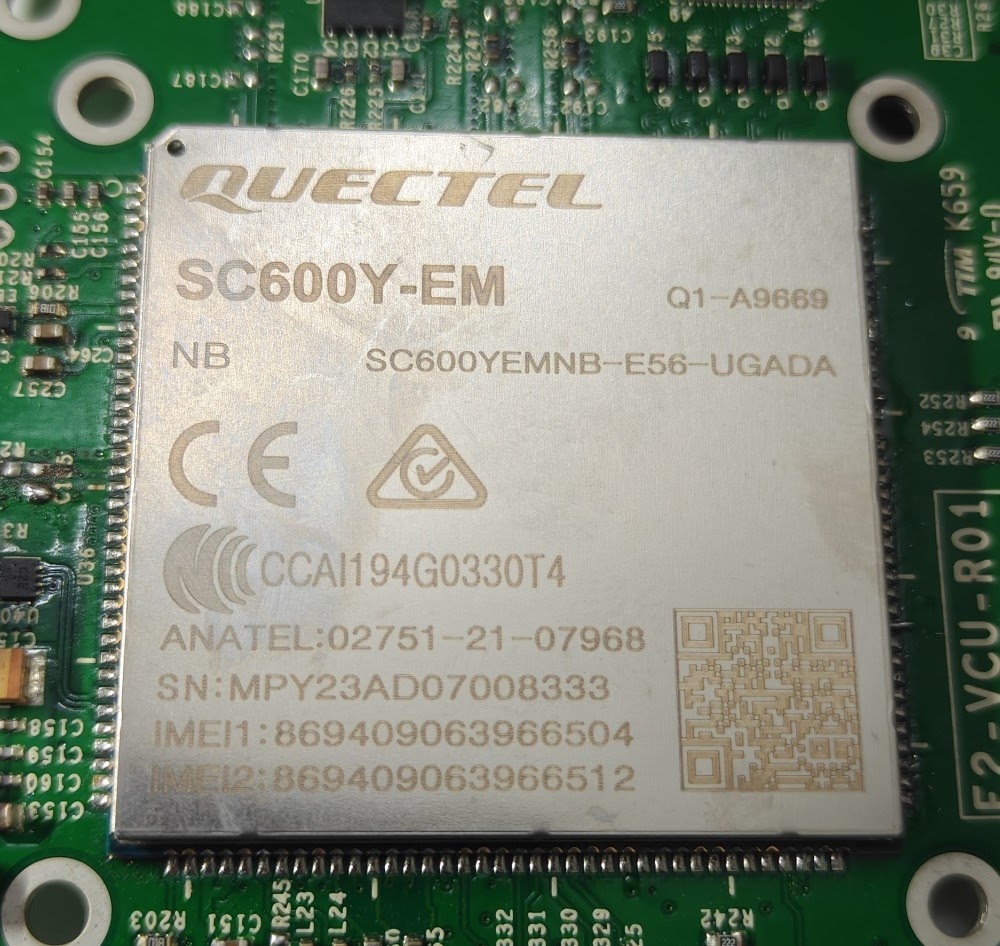
I have an embedded SC600Y-EM module that is currently stuck in Qualcomm 9008 (EDL) recovery mode due to boot corruption.
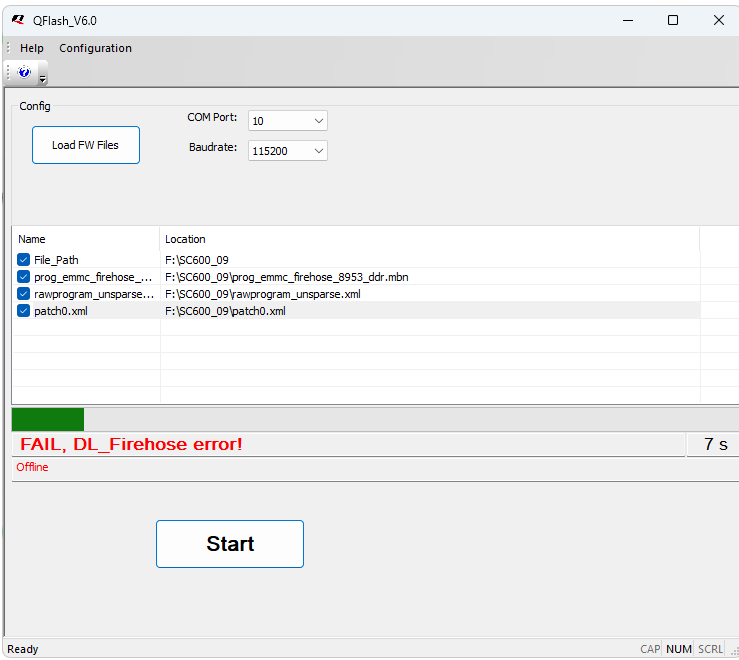
Could you please share the complete factory firmware package (including the signed Firehose programmer, rawprogram XMLs, and flashable images) or at least the standalone signed Firehose loader (prog_emmc_firehose_8953_ddr.mbn / prog_firehose_lite.elf) for SC600YEMNB-E56-UGADA?
Module Details:
- Model: SC600Y-EM
- Part Number: SC600YEMNB-E56-UGADA
- SN: MPY23AD07008333
- IMEI 1: 869409063966504
- IMEI 2: 869409063966512
- SoC / Hardware ID: Qualcomm SDM450 (
0x0009A0E1)
- Chip Serial:
0x8974B8A2
- Target PKHash (SHA-256):
cc3153a80293939b90d02d3bf8b23e0292e452fef662c74998421adad42a380f
Please share the download link via private message or to my registered email 464340@gmail.com
Thank you!
Dear, customer:
What’s the Android version used on the module before?
Thanks
Dear Great Zheng,
The module was running an Android 9 (Pie) / Android 10 baseline build. Because the board is completely blank/stuck in 9008 mode, I cannot check the build.prop directly.
Could you please share the Firehose programmer / firmware packages for both Android 9 and Android 10 for SC600YEMNB-E56-UGADA, or the default release associated with this specific part code and IMEI?
Thank you for your support!
Dear, Sandeep:
The firmware is sent to your email, you can check it.
Thanks
please help me with this. Stuck at EDL but wont work.
Hi,
Can you use QFIL tool and try again?
Thanks
Hi Quectel Support,
I need compatible signed Firehose programmers, bootloader files and full QFIL firmware packages for the following two modules.
MODULE 1 — SC600Y-EM
- Part Number: SC600YEMNB-E56-UGADA
- Serial Number: MPY21LN27000261
- IMEI1: 864281048775366
- IMEI2: 864281048775374
- Variant marking: NB
- Additional marking: Q1-A8a03
- Certification ID: CCAI194G0330T4
- ANATEL: 02751-21-07968
- Compliance marks: CE, RCM and NCC
MODULE 2 — SC60-CE
- Part Number: SC60CEYM-E56-UGND
- Serial Number: MPY24H00P006227 — the two characters after H may be the letter O rather than zero
- IMEI1: 867952069497125
- IMEI2: 867952069497133
- MEID: A10000783CD65F
- Variant marking: YM
- Additional upper-right marking: partially illegible
- Compliance mark: CCC
DETECTED EDL DEVICE INFORMATION
The connected unit reports:
- USB mode: Qualcomm EDL 9008
- Sahara protocol: 2
- HW_ID: 0x0009A0E100000000
- PK_HASH (SHA-256): cc3153a80293939b90d02d3bf8b23e0292e452fef662c74998421adad42a380f
WHAT I NEED
- Compatible signed Firehose programmers for both module variants, such as
prog_emmc_firehose_8953_ddr.mbn or the appropriate equivalent.
- Full QFIL-compatible firmware packages, including:
rawprogram0.xml / rawprogram_unsparse.xmlpatch0.xml- Bootloader and partition images, including boot, system, vendor and userdata
contents.xml, if available
- EDL recovery documentation, recommended tools and QFIL settings for each module.
Please send the files or download links to DEADASHX@GMAIL.COM. Thank you for your help.
Also, can I read the existing firmware and internal eMMC contents from these modules through USB using the supplied Firehose programmers?
Hi,
The download link is sent to your email.
You can use QFIL tool to burn the firmware after putting the device in EDL mode.
You can use QFIL tool to export the partition data after putting the device in EDL mode.
Tools->Partition Manager
Thanks