Hi!
there is any new firmware for models LC29H-DA and LC29H-BS?
now i have:
- LC29HDANR11A03S
- LC29HBSNR11A01S
Best,
Hi!
there is any new firmware for models LC29H-DA and LC29H-BS?
now i have:
Best,
Hi @charly22
I have sent you the relevant information via email, please check.
The download link for QGNSS is as follows:https://www.quectel.com.cn/download/qgnss_v1-4
need latest firmware for LC29HDA and for LC29HBS rover…base thanks
please send me a set of commands to place the lc29hbs in the base regime with fixed coordinates and include all messages used for rover corrections
Hi @Sasa_Savic
Please refer to the following steps to configure the base station
$PQTMRESTOREPAR13 // Restore default command
Reset Module // You can just press the reset button
$PQTMCFGSVIN,R26
$PQTMCFGSVIN,W,1,43200,15.0,0,0,0*0D // Survey-in mode for 12 hours
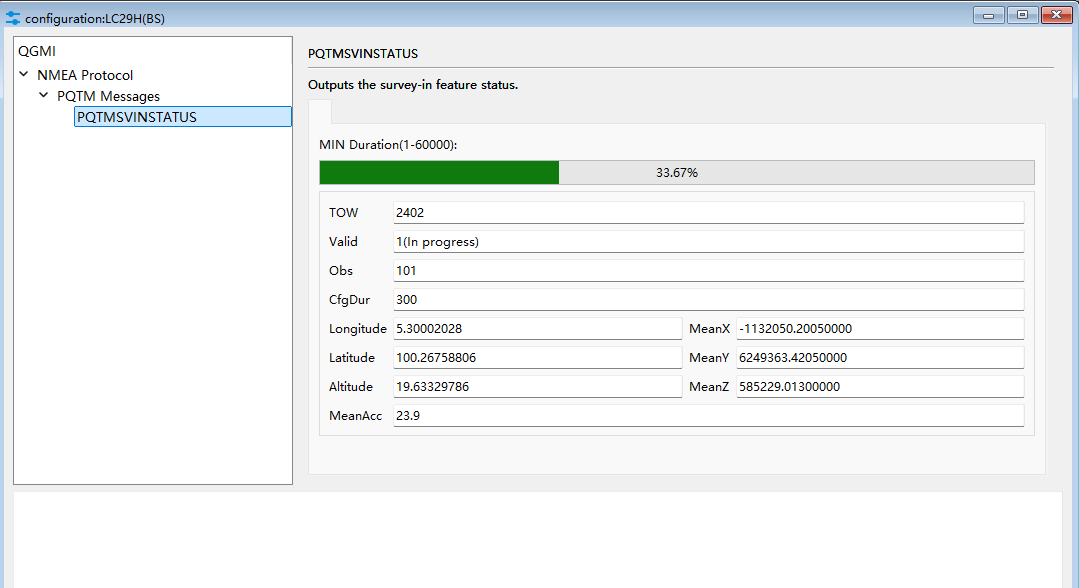
You can monitor the survey status in the QGNSS configuration tab
Best regards,
Hi team,
Have couple of modules: LC29H-DA and BS
firmwares are:
$PQTMVERNO,LC29HBSNR11A01S,2023/02/13,10:14:0627
and
$PQTMVERNO,LC29HDANR11A03S_RSA,2024/03/19,13:55:3120 2 7214175
I believe these are not recent ones.
Hi @Klym
I have sent the latest FW version to your email. Please do let me know if you have received the FW package.
For the LC29H (DA) to acts as a Base Station, please follow these steps:
Step 1:
Restore parameters configured by all command and restart the module by pressing RST button.
Command Format: $PQTMRESTOREPAR,OK*
$PQTMRESTOREPAR*13 //This is to restore the parameters. Do a reboot after executed this command.
Step 2:
Change the working mode of the module and save the parameter. Then, restart the module by pressing RST button.
Command Format: $PQTMCFGRCVRMODE,W,*
$PQTMCFGRCVRMODE,W,2*29
$PQTMSAVEPAR //This is to save the parameter.
1 = Rover
2 = Base Station
Step 3:
Change the module to operate as a base station with Surveyed-In mode. Save the parameter and restart the module.
Command Format: Set: $PQTMCFGSVIN,W,,,<3D_AccLimit>,<ECEF_X>,<ECEF_Y>,<ECEF_Z>[,]*
$PQTMCFGSVIN,W,1,3600,1.2,0,0,0*01 // ECEF_X/Y/Z set to ‘0’ when in survey mode. Survey-in mode for 1hr
Command Format: Get: $PQTMCFGSVIN,R*
$PQTMCFGSVIN,R*26
$PQTMSAVEPAR //This is to save the parameters. Then need to restart the module by pressing RST button.
Best regards,
Hi @mohamad.firdaus i also need the latest firmware for lc29hbs and lg290p.
could you please send to my email thanks
Hi @sathak
I have sent the latest FW version to your email. Please do let me know if you have received the FW package.
Best regard.