Hi,@jay_ucla
I have sent it to you via email,pls check.
Hi,@jay_ucla
Your current firmware version is already the latest.
I’m sorry but can you send it again to jhjung1227@gmail.com
?
I can’t receive the link code
Hi,@jay_ucla
I have resent to you via private message.pls check.
Hi!
Is there any way to get a more recent firmware, as I’m currently experiencing several issues that are making it extremely difficult to use:
- When switching from 5G to 4G, the connection drops and can usually only be restored by restarting.
- Although roaming is enabled and permitted, the device won’t connect or doesn’t detect a network abroad.
- After power-saving mode, it can only be used at 50%
Please help.
Thank you very much.
Hi,@a.scherz
Could you tell me your current firmware version?
Hi!
As already mentioned no COM port is assigned so it’s not possible to get the firmware version.
Best regards,
Alex
Hi,@a.scherz
Sorry for ignoring the information above. I’ll ask engineers who are specialized in this area to help you solve this problem.
Hi,@silvia Can you help solve this customer’s issue?Thanks.
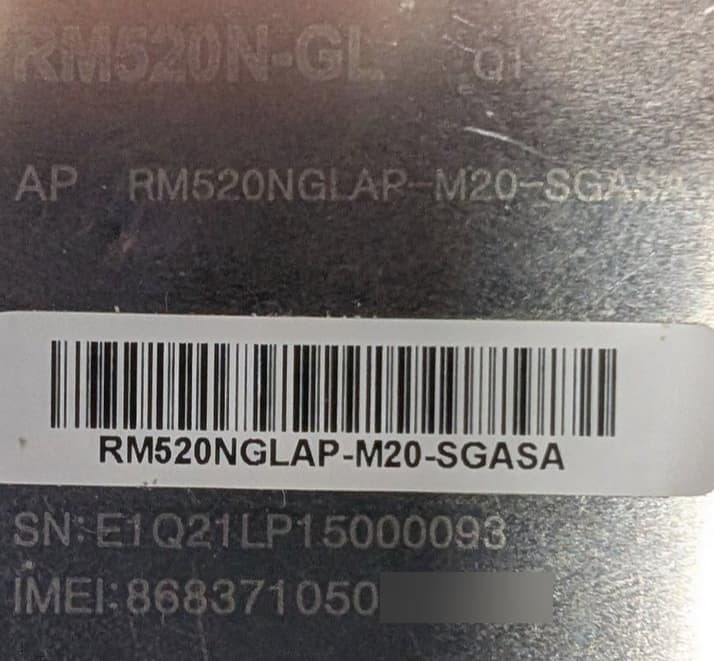
Is this an AA or AP Version of the RM520?
Did you install the special Lenovo drivers for it?
I think I have a firmware upgrade package from Lenovo somewhere. I’ll have to check
Hello i am using Quectel modem RM520N-GL and a Rpi in order to connect to a 5G Amarisoft Network and I have the following problem:
I am registered to the Network:
AT+C5GREG? +C5GREG: 0,1
I have created profiles (AT+CGDCONT) in order to connect to a specific NSSAI and activated a PDU Session with:
AT+CGACT=1,4 OK +CGEV: PDN ACT 4
Confirmed by the logs and the IP address that i was assigned by the Network:
+CGPADDR: 4,“192.168.2.2”
I have the modem on ECM mode:
AT+QCFG=“usbnet”,1
The interface usb0 is created and the Rpi has the following IP provided by the modem:
inet 192.168.225.156/22
I also added the route:
sudo ip route replace default via 192.168.225.1 dev usb0
I can ping the gateway from my Rpi and it is reachable (ping 192.168.225.1) but I can not reach any other IP on the network that i should be able to (8.8.8.8 and other that are on the same network with the IP that was given to my modem)
So the modem gets an IP from the network, the Rpi gets an IP at usb0 interface and it can reach the gateway but the Rpi can not reach the internet.
I checked the Network configuration and the Rpi should be able to connect to the internet.
I want to have full control over the activation and deactivation of the PDU Sessions (as i want to de/activate CIDS that are attached to the same DNN but with different slices) via AT commands and the Rpi to be able to reach the network anytime via my modem.
How can I accomplish that ?
Hi!
Where can I find whether it’s an AA or AP version (printed on the chip?)
Driver is installed. The modem works with restrictions (only domestically, despite roaming being activated; no connection can be established after standby mode, etc.).
Please send me the firmware upgrade.
Thank you very much for your help.
@a.scherz please kindly share me the latest firmware also. Thank you !
Dear @a.scherz
You can check the OC in the shield cover. Or share your current firmware.
Do you install it in PC directly?
Dear @hoangduong13901
Please share your current firmware.
Dear @esake
You had connected to network and have IP address, it is ok.
For ping, do you have any error or just timeout?
Please share your route: route -n
Dear Silvia,
pi@rpi:~ $ route -n
Kernel IP routing table
Destination Gateway Genmask Flags Metric Ref Use Iface
0.0.0.0 192.168.225.1 0.0.0.0 UG 102 0 0 usb0
And for the ping I get:
From 192.168.225.1 icmp_seq=6 Destination Net Unreachable
AT+CGDCONT?
+CGDCONT: 1,“IPV4V6”,“default”,“0.0.0.0.0.0.0.0.0.0.0.0.0.0.0.0”,0,0,0,0,0,“”,0
+CGDCONT: 2,“IPV4V6”,“ims”,“0.0.0.0.0.0.0.0.0.0.0.0.0.0.0.0”,0,0,0,0,“”,0
+CGDCONT: 3,“IPV4V6”,“sos”,“0.0.0.0.0.0.0.0.0.0.0.0.0.0.0.0”,0,0,0,1,“”,0
+CGDCONT: 4,“IPV4V6”,“internet_EMBB00000B”,“0.0.0.0.0.0.0.0.0.0.0.0.0.0.0.0”,0,0,0,0,0,“01.00000B”,0
+CGDCONT: 5,“IPV4V6”,“internet_EMBB00000C”,“0.0.0.0.0.0.0.0.0.0.0.0.0.0.0.0”,0,0,0,0,0,“01.00000C”,0
AT+CGACT?
+CGACT: 1,0
+CGACT: 2,0
+CGACT: 3,0
+CGACT: 4,1
+CGACT: 5,0
AT+CGPADDR
+CGPADDR: 1,“0.0.0.0”,“0.0.0.0.0.0.0.0.0.0.0.0.0.0.0.0”
+CGPADDR: 2,“0.0.0.0”,“0.0.0.0.0.0.0.0.0.0.0.0.0.0.0.0”
+CGPADDR: 3,“0.0.0.0”,“0.0.0.0.0.0.0.0.0.0.0.0.0.0.0.0”
+CGPADDR: 4,“172.16.222.212”
+CGPADDR: 5,“0.0.0.0”,“0.0.0.0.0.0.0.0.0.0.0.0.0.0.0.0”
Dear @esake
These two IP address don’t in the same network segment.
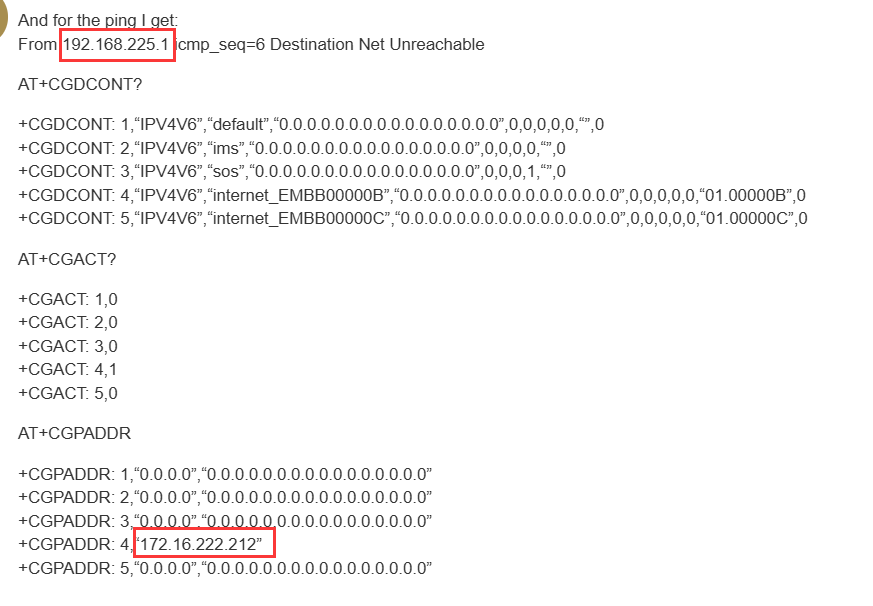
Yes because the 172.16.222.212 is the one that i get from the 5G Network.
In the ECM mode the modem via dhcp gives my Raspberry Pi an IP address and exposes the interface usb0 and it also gets one IP itself in order to be reached by the Rpi (the 192.168.225.1).
usb0 has:
8: usb0: <BROADCAST,MULTICAST,UP,LOWER_UP> mtu 1500 qdisc pfifo_fast state UNKNOWN group default qlen 1000
link/ether ae:06:3c:9b:f2:bd brd ff:ff:ff:ff:ff:ff
inet 192.168.225.156/22 brd 192.168.227.255 scope global dynamic noprefixroute usb0
valid_lft 42710sec preferred_lft 42710sec
Isn’t that correct?
Dear @esake
Please check the response:
AT+QMAPWAC?
If not 1, please AT+QMAPWAC=1 and try.