Dear Quectel Support Team,
My name is Jose Manuel, and I am a student at the Universidad Politécnica de Cartagena (UPCT). For my final degree project, I am using the Quectel M35 modem to connect a Campbell CR1000 datalogger via RS232, using the PPP communication protocol.
I have followed the configuration procedure, and while I can successfully set up the APN and ping Google, the communication fails when I try to activate the PDP context and initiate the PPP connection. When executing the command to start PPP, the modem responds with “CONNECT”, but after a few lines of code, it ends with “NO CARRIER”.
I have contacted my SIM card provider (Movistar), and they have confirmed that PPP communication is not restricted on their network.
Below are the AT commands I have used:
AT+CFUN=1
AT+CGATT=1
AT+CPIN? (Returns “READY”, as the SIM PIN is disabled)
AT+CSQ (Returns values between 16 and 31, indicating good signal strength)
AT+CREG? (Returns 0,1)
AT+CGDCONT=1,“IP”,“MOVISTAR”,“”,“0,0” (Sets the APN)
AT+QPING=“8.8.8.8” (Successfully pings Google)
AT+CGACT=1,1 (Activates the PDP context)
AT+CGPADDR=1 (Obtains an IP address)
After activating the PDP context, if I try to ping Google again, it no longer works.
To establish the PPP connection, I have tested the following commands, but I always get the same result: “CONNECT”, followed by some lines of code, and then “NO CARRIER”:
ATD99#
ATD99***1#
AT+CGDATA=“PPP”
AT+CGDATA=“PPP”,1
I would greatly appreciate your guidance on identifying what is failing and how I can properly configure the Quectel M35 modem to establish a functional PPP connection.
Thank you very much for your time and assistance. I look forward to your response.
Best regards,
Jose Manuel
Student at Universidad Politécnica de Cartagena (UPCT)
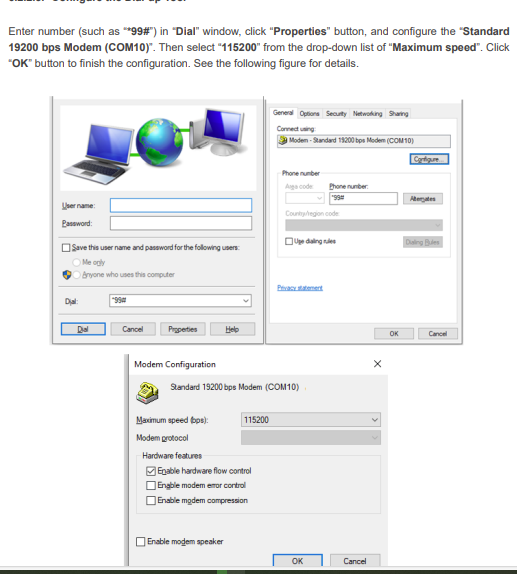
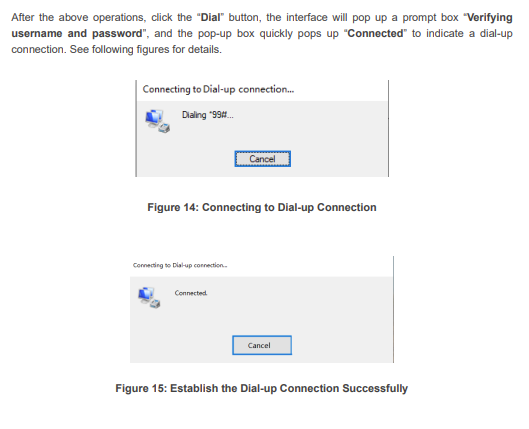
PPP is not just send the AT command ATD*99#.
What is the Host, Linux or Windows?
1 Like
Hello.
I am currently testing the modem using PuTTY, but the final setup will involve connecting it to a Campbell Scientific CR1000 data logger. Could you provide guidance on the correct PPP configuration and necessary AT commands to establish a successful connection?
Since the CR1000 will be the host, I need to ensure that it can properly negotiate the PPP session with the modem. Do you have any specific documentation or recommended settings for this type of integration?
Thank you for your support.