I have an EC25-AFX module which I want to connect to my backend server.
I have to domain and port. But how to configure the EC25-AFX to connect to it?
I’ve tried tools like zUartTools, but not connection request is made to the server.
Please help, I can provide more details if needed.
It is a TCP server, which serves at port 8000.
It has an API “/ping” which is open to public.
Can my EC25-AFX hit this API?
And how to make EC25-AFX hit other APIs?
Another question I have is:
Should I have socket server instead of a REST API server?
You can use testing tools that can send AT commands, such as QCOM.
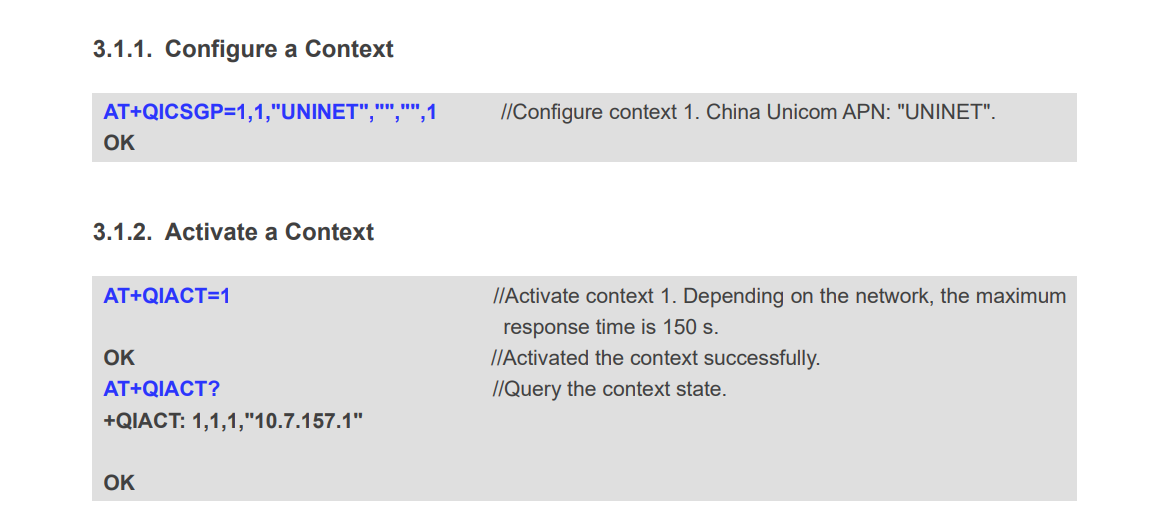
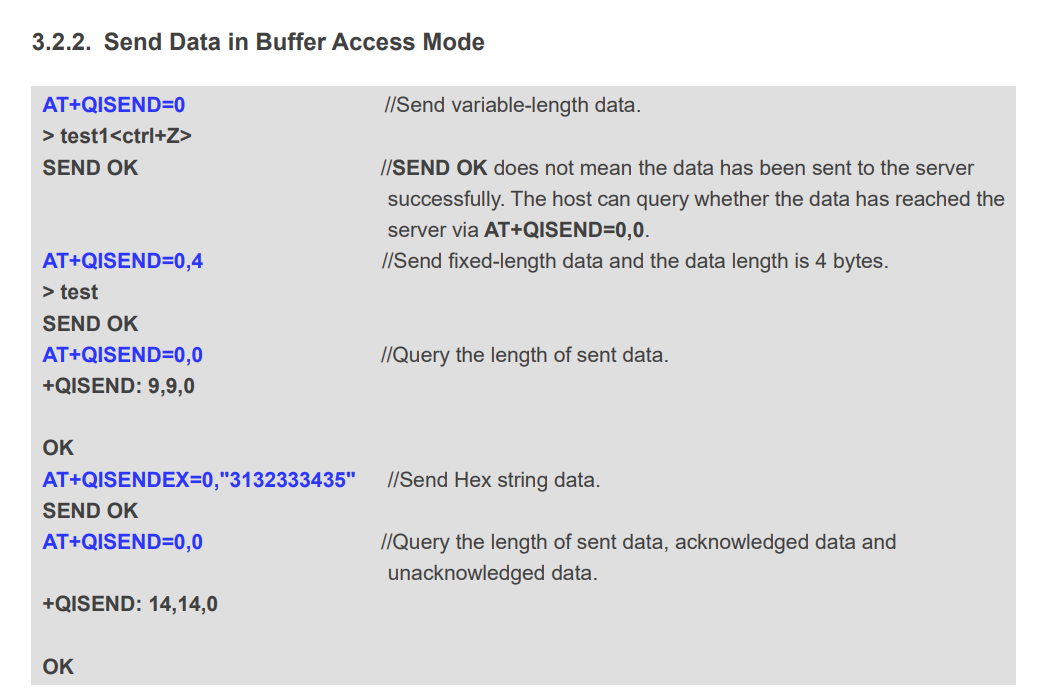
Then the first step is to use the AT+QICSGP command to configure the context, the second step is to use the AT+QIACT command to activate the context, and then use AT+QIOPEN to connect to your backend server.
I will send you the relevant documents.Please check your private message later.
Regarding your second question, as far as I am concerned,TCP protocol should communicate with socket servers, while REST servers are based on HTTP protocol.
Example of the first question:
I tried using QCOM (v1.6) with these configurations:
Port: COM4 (same as seen in device manager)
Baud rate: 115200
Bit size: 8
Parity: None
Stop bits: 1,
Control flow: None
When I click on “Open port”, I see successful message.
But, when I send a command, no command has any response.
Not event “AT” command.
Also tried QNavigator (v1.5). Same issue there also.
I suggest you first check if the opened port is the AT port. If so, please provide your detailed operation steps and a screenshot of QCOM, and I will help you analyze the reason.
This is the module I’m using. (Please see the first Screenshot in the attached image file)
This is the driver I’m using - Quectel_Windows_USB_Driver(Q)_NDIS_V2.7.9
After installing the driver, it is not being detected. Here’s the screenshot of my device manager.
(Please see the second Screenshot in the attached image file)
This is a screenshot of QNavigator in which it can be seen that AT command is not working.
(Please see the third Screenshot in the attached image file)
Just FYI, I’m trying to do this in India, using an Indian SIM.