RM520N-GL
How to Clear Configured NSSAI?
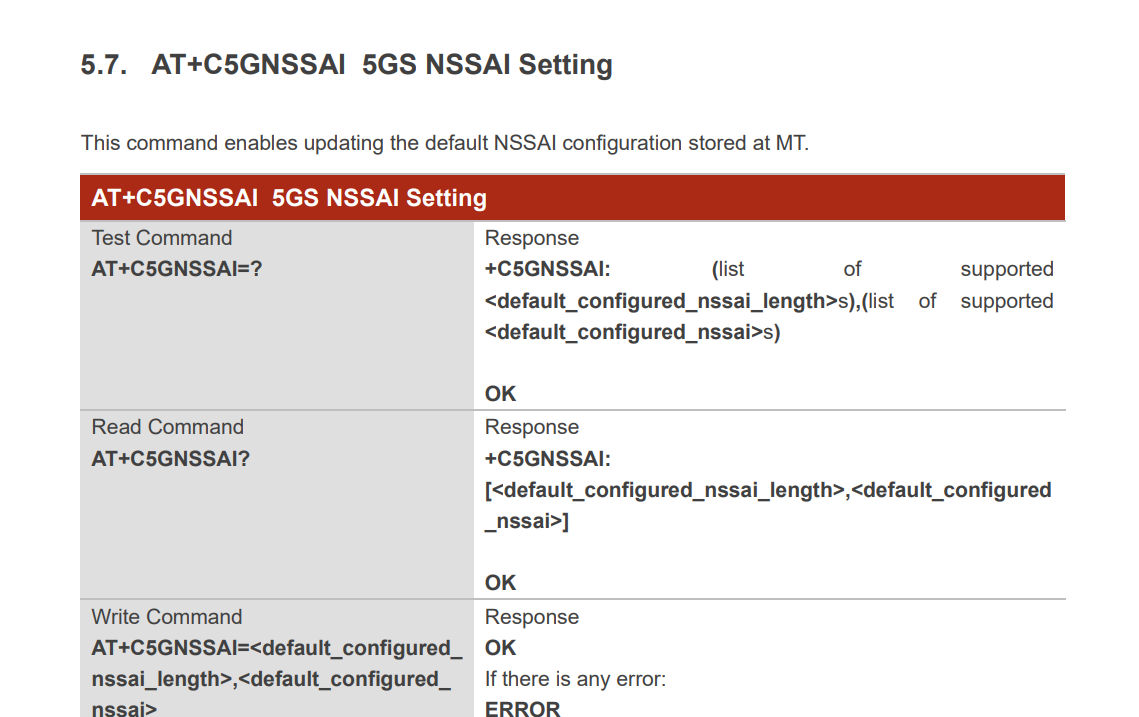
When the modem/MT first registers on a 5G SA network, it uses the default NSSAI configuration set using +C5GNSSAI as the Requested NSSAI. After a successful registration it stores the Allowed NSSAI as Configured NSSAI.
When the modem re-registers on the same network, it uses the configuration stored in the Configured NSSAI as the Requested NSSAI, and ignores what has been configured using +C5GNSSAI.
How to get the modem/MT to delete the Configured NSSAI configuration and the configuration set using +C5GNSSAI again?
I have tried using +CFUN and power-cycling the modem/MT but the Configured NSSAI configuration persists. I have also tried invalidating the TMSI on the network side, but that did not help.
Would the AT+QCFG=“ResetFactory” command delete this configuration? It is safe to use this command often?
ATI
Quectel
RM520N-GL
Revision: RM520NGLAAR03A03M4G

AT+COPS=2
OK

+C5GREG: 1,"000001","03E88A001",11,4,"01.000000"
+C5GREG: 0

AT+C5GNSSAIRDP=3
+C5GNSSAIRDP: 8,"01.000000:01.000002"
+C5GNSSAIRDP: "46007",0,"",4,"01.000000"
OK

AT+C5GNSSAI?
+C5GNSSAI: 8,"01.000000:01.000002"

OK
AT+COPS=1,2,"46007",12
OK

+C5GREG: 1,"000001","03E88A001",11,4,"01.000000"

AT+C5GNSSAIRDP=3
+C5GNSSAIRDP: 8,"01.000000:01.000002"
+C5GNSSAIRDP: "46007",0,"",4,"01.000000"
OK