Hello I have an aftermarket head unit that I am trying to identify the OEM, it’s a rebranded unit here in Australia. Is the BT device capable of BT 5+, is there an update bluetooth version available
I am having an issue connecting a bluetooth device which has lead me here. According to the output below the device has a qualcomm bluetooth device.
Is there a toolset that I can use to debug the device connection so that I can hopefully see where the issue is?
Thanks in Advance.
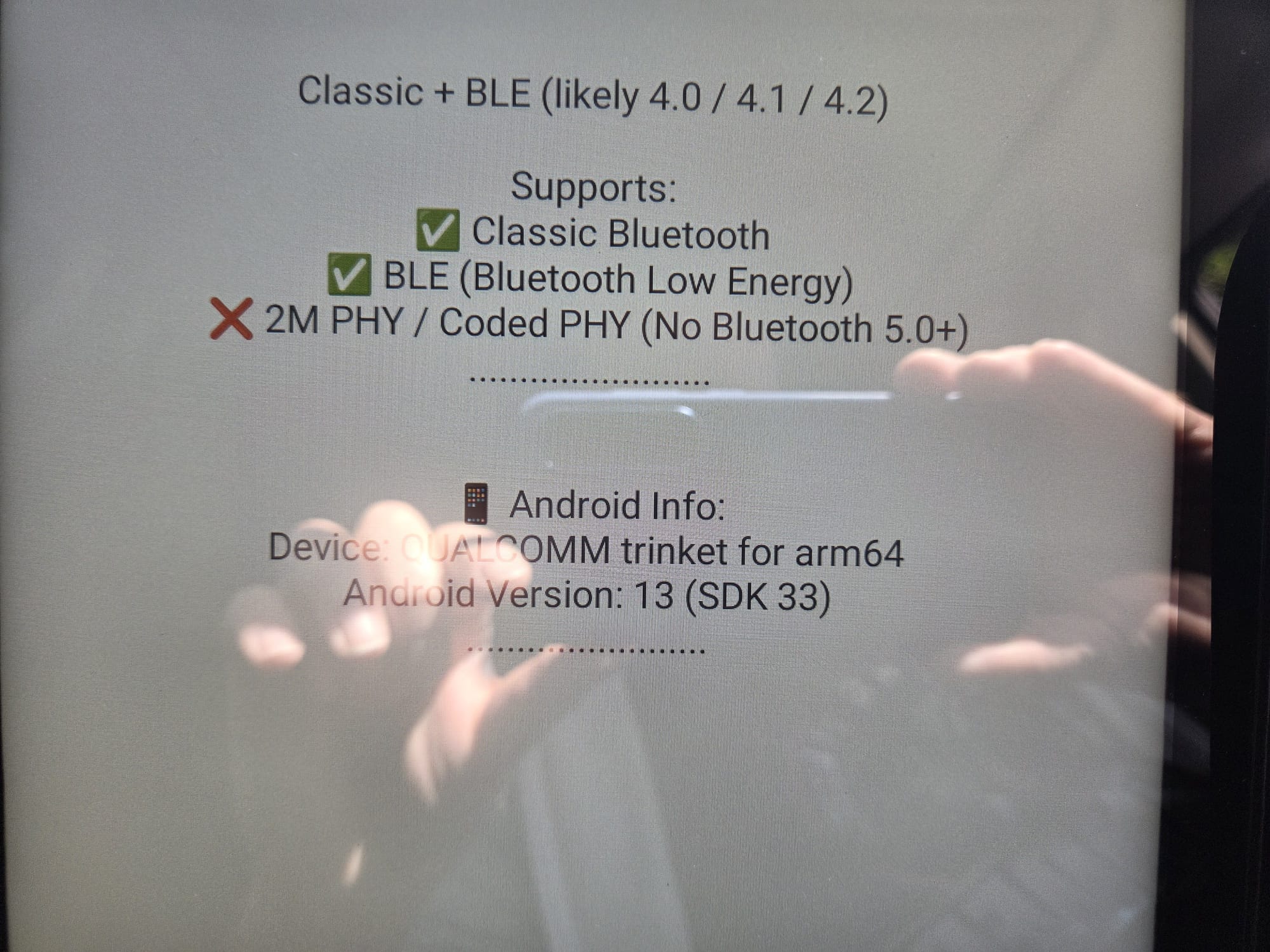
Android Version: Android 13
CPU: Snapdragon 8-Core 2.0GHz, Adreno TM 610GPU
Running Memory: 8GB
Storage: 256GB
Screen: 1050 x 1400
App Version: 20260527-164005-N
Build Number: 20260515-200530-W-QZD_G6_A13
MCU Version: 2026-02-28 15:51 STA_GT
Hardware Version: Hardware V007-CUS-EM-R01-DS
BT Version: BLINK_6125_R_2025/10/28-14:55:48
Canbus Version: unkown
Trackbox Version: Unkown
LCD Info: lcd_G1_ICNL6202_LVDS_JEITA_1400x1050_12.1_iv1
serial Number: 333535616333366461613533633932G6
Qr Code: G6355ac36daa53c92
IME1: 860203071203060
IME2: 860203071203078