Subject: Issue with GPS Data on USB Port (usbnmea) with Quectel EC200UCNAA and UMTS<E EVB KIT Q1-A2329
Hello,
I am working with a Quectel EC200UCNAA-N05-SGNSA module along with the Quectel UMTS<E EVB KIT Q1-A2329. I am trying to get GPS data on the usbnmea port, but despite following the correct steps, I am not able to see the GPS data transmitted over the USB interface.
Here are the steps I’ve followed:
Sequence 1: Attempting to get GPS data on USB using AT+QURCCFG:
AT+QGPS=0 (Disables GPS functionality)
AT+QURCCFG=“urcport”,“usbnmea” (Sets USB as the URC port for GPS data)
AT+QGPS=1 (Enables GPS functionality)
After executing these commands, I expected GPS data to be available on the USB port (usbnmea), but no data was transmitted.
Sequence 2: Attempting to get GPS data on USB using AT+QGPSCFG:
AT+QGPSCFG=“outport”,“usbnmea” (Sets USB as the output port for GPS data)
AT+QGPS=1 (Enables GPS functionality)
Again, the data was not transmitted to USB.
Sequence 3: Successfully retrieving GPS data on UART1:
AT+QGPS=0 (Disables GPS functionality)
AT+QGPSCFG=“outport”,“uart1” (Sets UART1 as the output port for GPS data)
AT+QGPS=1 (Enables GPS functionality)
Following this sequence, I am successfully able to retrieve GPS data on UART1.
Issue:
The GPS data is successfully available on UART1 when using the third sequence, but not on USB (usbnmea) as expected when using the first two sequences.
What I’ve Tried:
Double-checked the configuration and commands for correctness.
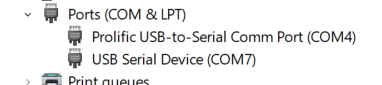
Ensured USB connection is active and recognized on the PC.
Has anyone encountered a similar issue with Quectel EC200UCNAA or Quectel UMTS<E EVB KIT Q1-A2329? Any suggestions or insights on how to resolve this would be greatly appreciated.
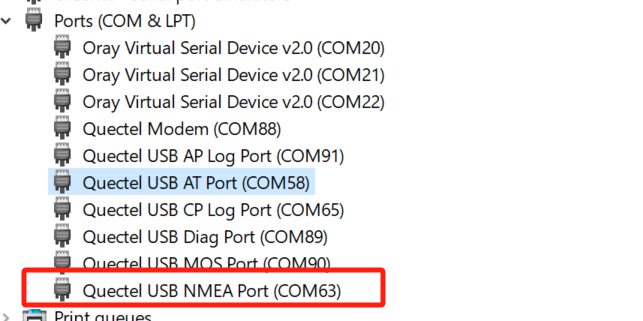
In my case, the Quectel USB NMEA Port is not showing up, even though I have installed the Quectel USB drivers on my system. Could you please suggest if there are any additional drivers or steps I might be missing to get it working?
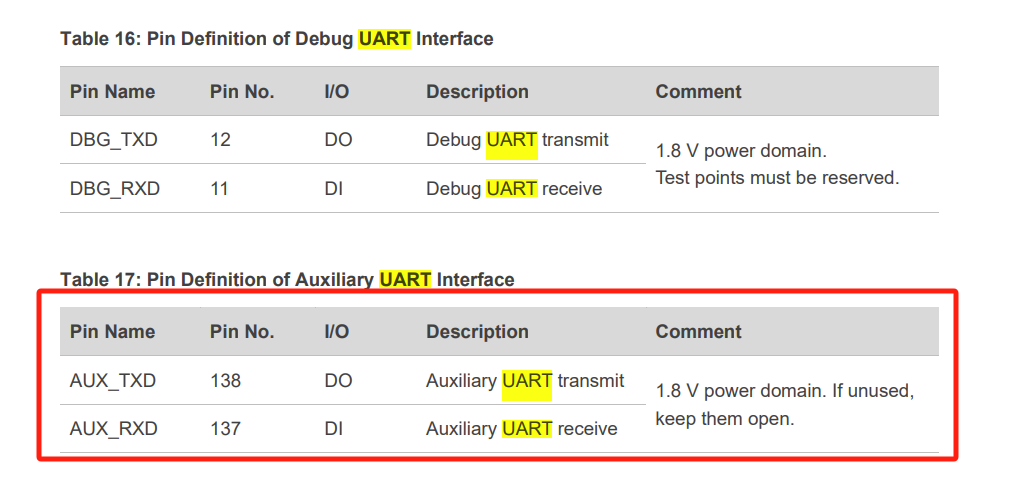
Can I use uart2 (Debug UART port) to receive GPS data on to it. If yes how to configure uart2 for same.
I’ve tried using UART2 (Debug UART port) to receive GPS data. I ran the command AT+QGPSCFG=“outport”,“uart2”, and got an “OK”, but I’m not receiving any GPS data on UART2.
UART1 PORT: Main UART port
UART2 port: Auxiliary UART port.
UART3 is not open for standard module, only valid for quecopen firmware.
AT+QGPSCFG=“outport”,“UART2” means to output NMEA log in UART2 port(Auxiliary UART port).
AT+QUARTCFG=“atport”,1,1 is used to enable UART2 port(Auxiliary UART port).
As per my understanding an auxiliary UART port serves as a secondary or additional UART interface on a device isn’t it.
So I want to configure it to receive GPS Data on to UART2.
As per your suggestions I tried AT command provided by you, which is “AT+QUARTCFG=“atport”,1,1 is used to enable UART2 port (Auxiliary UART port).” But got +CME ERROR: 53 from module.