Hello,
I am starting to work with a Quectel UMTS & LTE EVB kit equipped with an EG916Q-GL module, but I cannot communicate with the module through AT commands.
I have installed the latest official Windows driver available for this module:
Quectel_Windows_USB_Driver(Q)_RNDIS_V1.1_EN
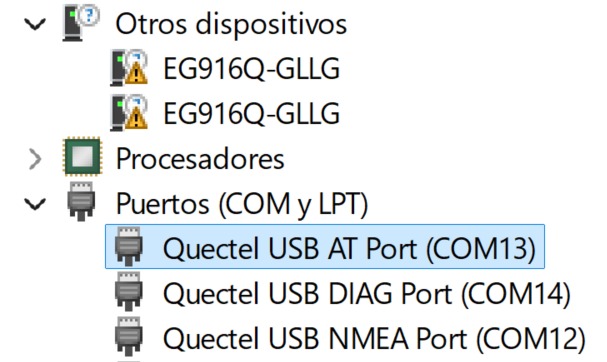
Windows detects the module and creates the Quectel USB ports correctly. In Device Manager, the AT interface appears as:
-
Quectel USB AT Port (COM13)
-
Hardware ID:
USB\VID_2C7C&PID_6007&MI_04
I will attach a screenshot showing how the Quectel USB AT Port is detected in Device Manager.
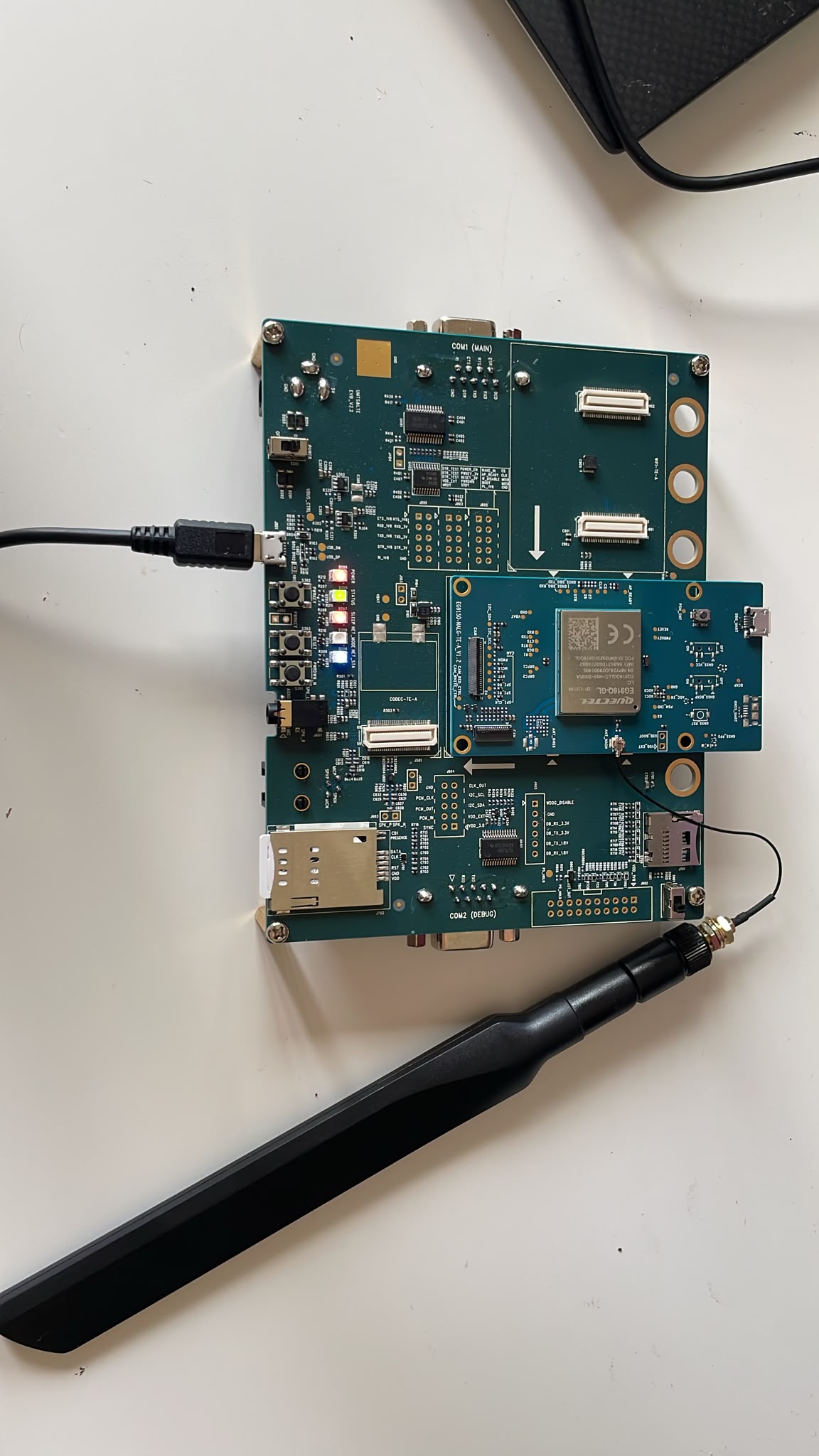
The EVB also appears to be correctly connected and powered:
-
The active SIM card is correctly inserted.
-
The LTE main antenna is connected.
-
D209 is ON.
-
D205 is ON.
-
D206 is blinking with the pattern corresponding to network registration/idle mode.
-
The module has been switched on using PWRKEY.
I will also attach a picture showing the EVB connections and LED status.
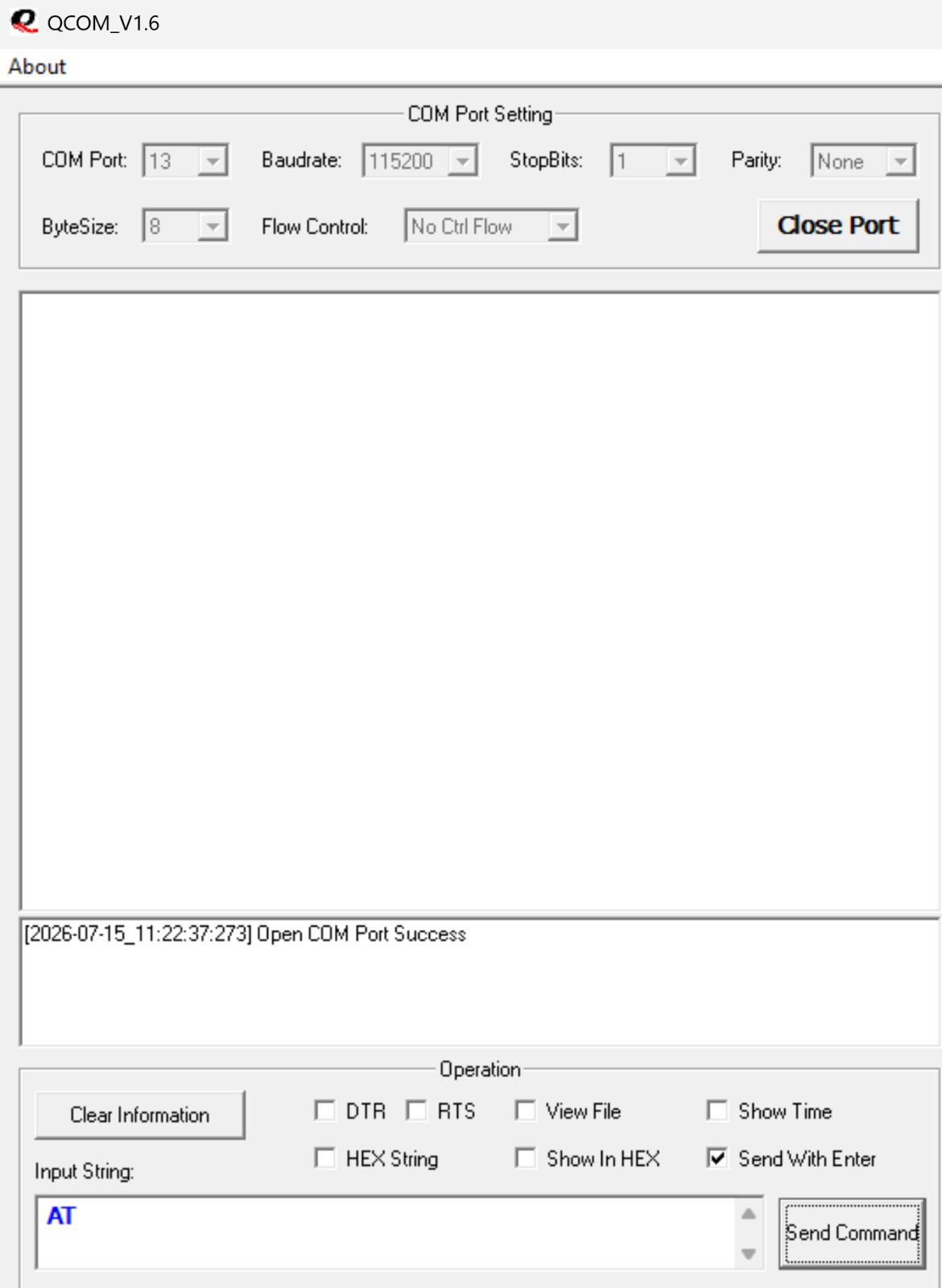
I have tried communicating with the module using both QCOM and Tera Term. In QCOM, I select the Quectel USB AT Port and configure it at 115200 baud. The COM port opens correctly, but the module does not return any response when I send AT commands.
There is no OK, error message or any other response. The same issue occurs with Tera Term.
I will attach a screenshot of the QCOM configuration and the unsuccessful AT command attempts.
I have also noticed that the D207 sleep-status LED does not appear to switch off when an AT command is sent.
Could you please help me confirm the following?
-
Is
Quectel_Windows_USB_Driver(Q)_RNDIS_V1.1_ENthe correct driver for the EG916Q-GL with USB PID6007? I have also tested previous driver versions, including the driver supplied with the EVB, but the module still does not respond. -
Is
MI_04the correct USB AT interface for this module? -
Could the module be remaining in sleep mode and therefore not responding through USB?
-
Is any additional USB configuration or driver required?
-
Should I use the MAIN UART interface to disable sleep or change the USB network configuration?
-
Could this problem be related to the firmware version or the default USB composition?
Thank you in advance for your support.