After reading the documentation you sent me, it shows i still need the SMS module for my firmware, which I do not have.
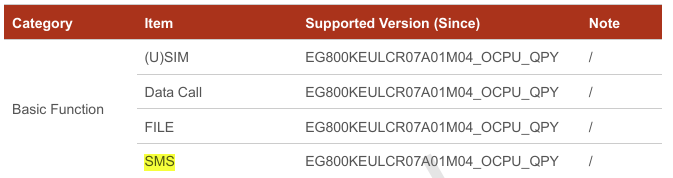
On a separate manual i found this:
The manual (Page 118, Section 9) says: “Some software versions do not support short message service commands. Please contact Quectel Technical Support for details.”
The firmware that i have - EG800KEULCR07A03M04_OCPU_QPY
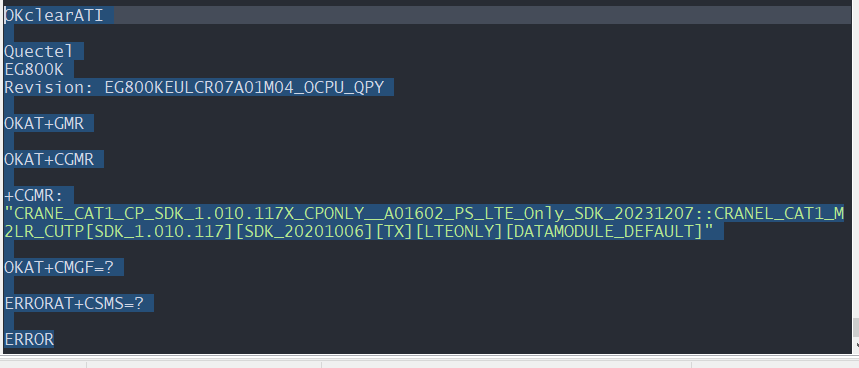
As per the pictures, I’ve verified that I am connected to the correct modem AT port.
The firmware and build information report correctly (via ATI / AT+GMR / AT+CGMR).
However, despite this, I am still unable to access any SMS-related AT commands.
Commands such as AT+CMGF, AT+CMGS, and AT+CSMS all return ERROR, which suggests SMS functionality is not exposed on this firmware/profile.
Could you please send me a tested proven firmware version, and include set up and commands to make sure I have missed any
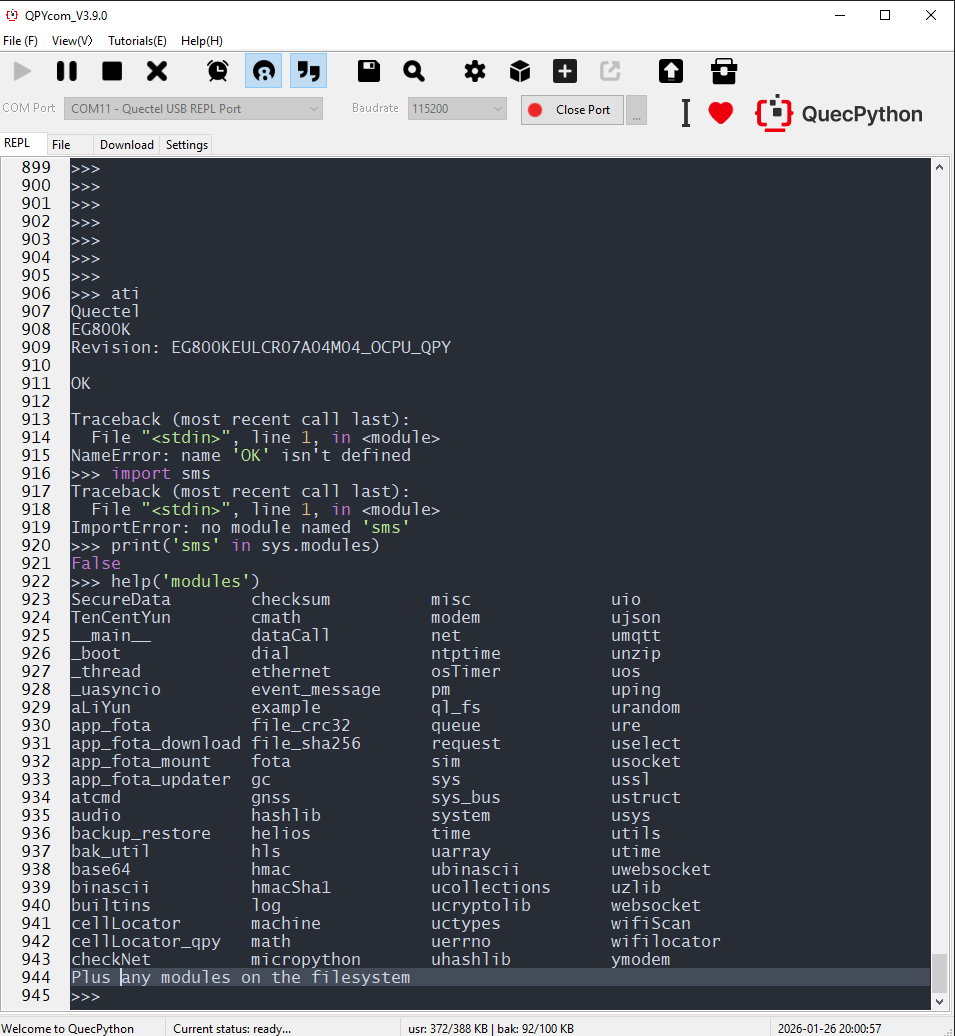
also from the REPL port i get this output
import sms
Traceback (most recent call last):
File “”, line 1, in
ImportError: no module named ‘sms’
help(‘modules’)
SecureData checksum modem ujson
TenCentYun cmath net umqtt main dataCall ntptime unzip
_boot dial osTimer uos
_thread ethernet pm uping
_uasyncio event_message ql_fs urandom
aLiYun example queue ure
app_fota file_crc32 request uselect
app_fota_download file_sha256 sim usocket
app_fota_mount fota sys ussl
app_fota_updater gc sys_bus ustruct
atcmd gnss system usys
audio hashlib time utils
backup_restore hls uarray utime
bak_util hmac ubinascii uwebsocket
base64 hmacSha1 ucollections uzlib
binascii log ucryptolib webserver
builtins machine uctypes websocket
cellLocator math uerrno wifiScan
cellLocator_qpy micropython uhashlib wifilocator
checkNet misc uio ymodem
Plus any modules on the filesystem
Thanks for the firmware, I am having trouble flashing it, as I’m used to using the .bin file on QPY and not the ZIP, I understand this is the base firmware that I am trying to upgrade now.
After doing some reading I believe I am meant to use Q Flash for windows?
However I have tried serval different methods to get this to work, none of which have succeeded.
My methods:
Q Flash, I try and load the Zip file you sent, using several different Comm’s ports
Quectel download port
AT port
DIAG port
REPL port
I’m just checking are any of these ports correct, or do I need to try and boot into a different mode, and at what speed ?
I have also read the Q Flash guides to try and make sense of what to do, any assistance you can give would be great
In Quecpython, the REPL port is generally used for debugging with a baud rate of 115200. The AT port is for sending AT commands, and the DIAG port is for capturing kernel logs.