Hello there,
There’s a way to short the 520 into EDL as seen here: RM520 how to force edl mode?
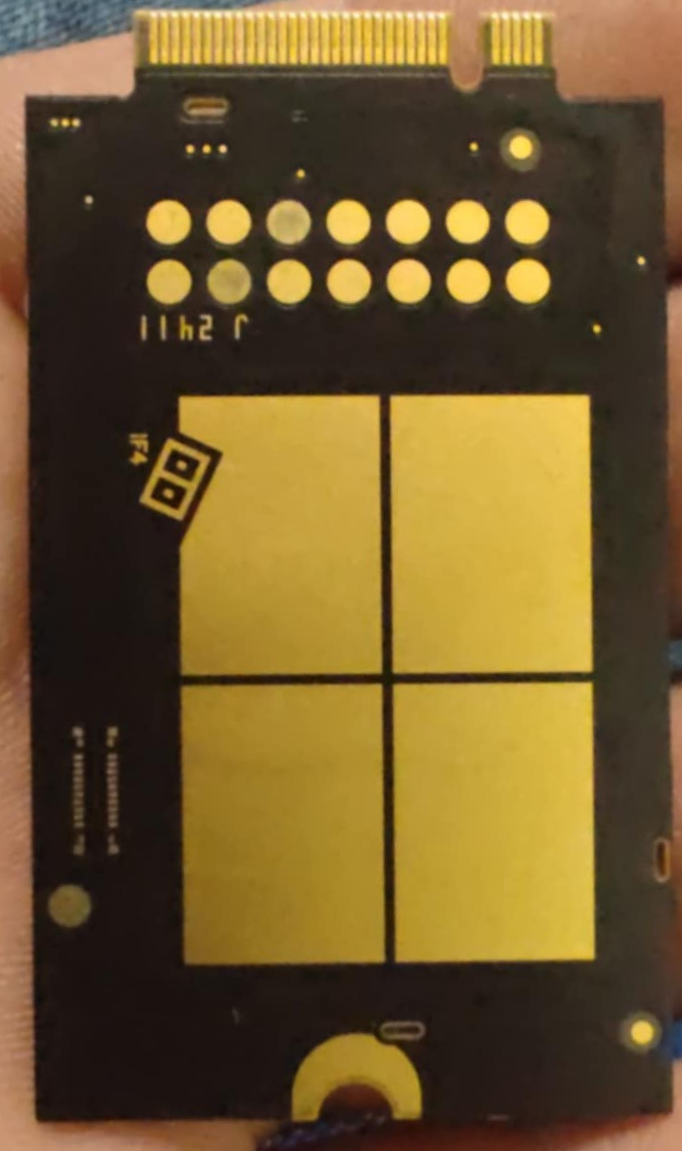
What are the pins on the back of the 551 that need shorted to enter EDL mode?
I’m looking to find out which ones are VDD_EXT and USB_BOOT.
Thanks!
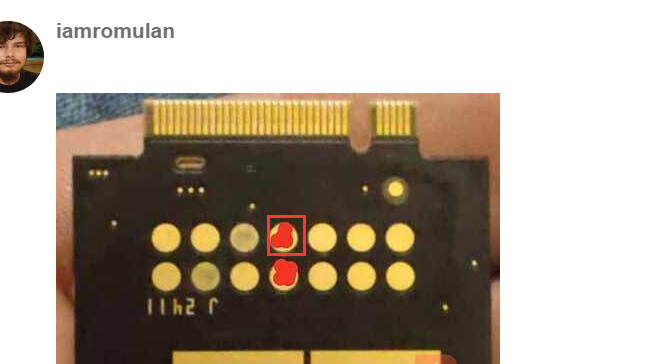
These are the correct pins to jump in order to enter EDL mode.
1 Like
silvia
July 22, 2024, 5:40am
4
Dear @iamromulan
I tried shorting those two test points but it did nothing.
For some reason I find I have to apply a bit of pressure so something rigid is useful.
Quectel Modem Wiki
=================================
> :book: This is a living Wiki. Changes may be made as more discoveries are made or more community software is made. If you feel like you have information to contribute to this wiki please open a pull request.

## EDL Mode

### If  for some reason something gets messed up on your modem and you are not able to see the DM port to flash firmware, theres a way to enter EDL mode (Emergency Download Mode)

Typically when you flash firmware the [normal method](#firmware-update-instructions) you use Qflash and select the DM port. When you click start, Qflash tells the DM port (Diagnostics port) to reboot into EDL mode. When the module comes back up only one port will exist: The QDLoader port. This means the modem has entered EDL mode. Qflash will then proceed to flash.

 It is also possible to enter EDL mode by using adb.
The command is:
``adb reboot edl``

However, if you have nothing showing up at all (the modem won't boot) then this is the manual way to enter EDL mode:
### Step 1
Find a m.2 board where the slot is on the edge. That way you can see the back of the module. For this example, I will use the [Rework.Network Ethernet M.2 Board](rework.network/collections/lte-home-gateway/products/5g2phy)

It is also possible to take a regular M.2 to USB adapter and cut the board so the back of the modem will be visible. This is dependent on the circuity layout of the particular m.2 to USB adapter board.
show original
Yeah, that is exactly what I did but it does not seem to do anything at all.
On a laptop? I’ve found I need to have the laptop plugged in to the charger if I do it with a laptop.
Yes. I also tried on my desktop pc.