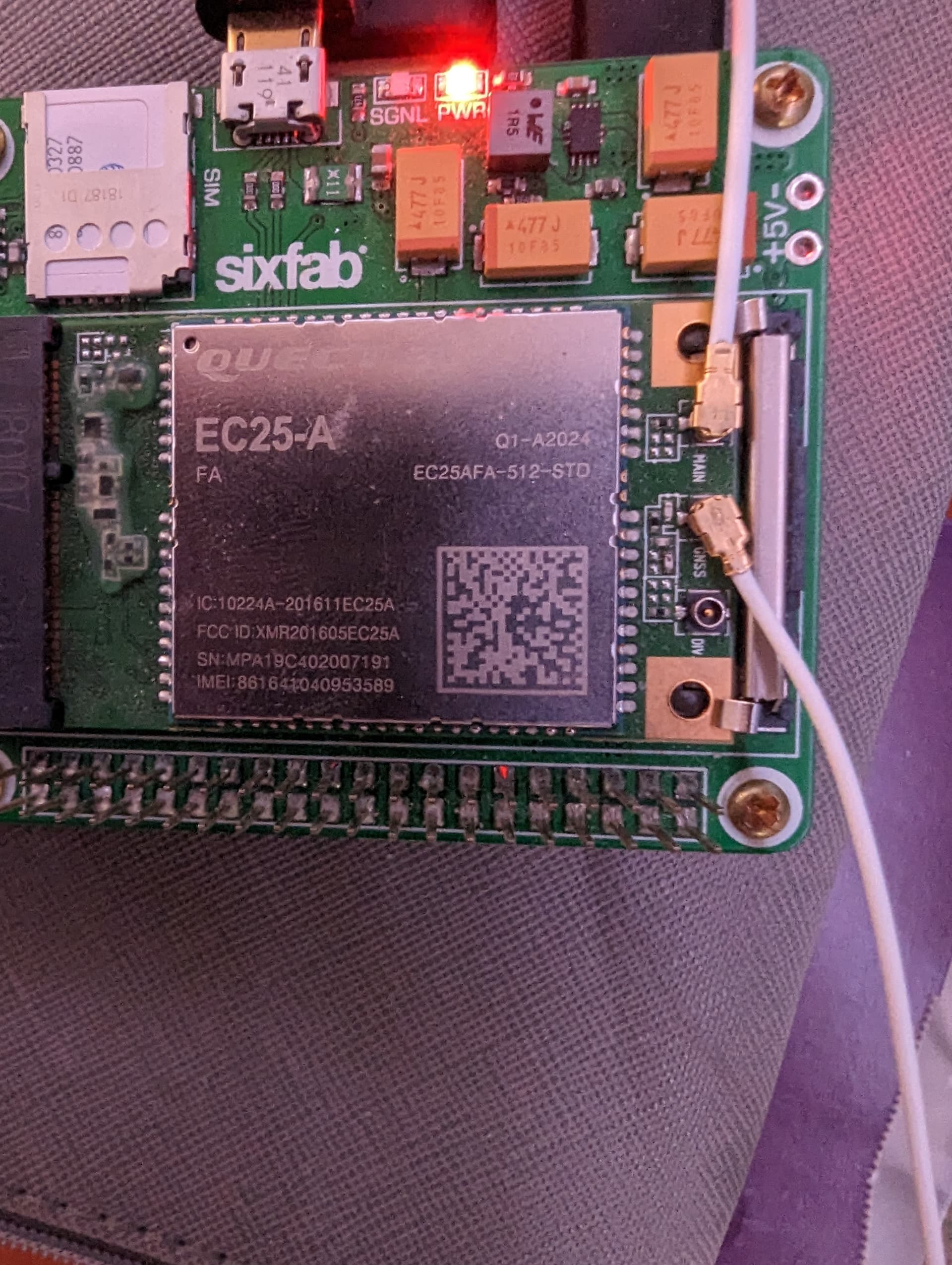
AT+CVERSION
VERSION: EC25AFAR05A04M4G
Aug 18 2017 17:10:17
Authors: QCT
Looking for a newer version that’ll hopefully allow me to register on ATT network as this version currently won’t register.
AT+CVERSION
VERSION: EC25AFAR05A04M4G
Aug 18 2017 17:10:17
Authors: QCT
Looking for a newer version that’ll hopefully allow me to register on ATT network as this version currently won’t register.
The latest firmware version has been sent to you by email, please test it again
Hi - Can I also get a copy of this firmware:
at+cversion
VERSION: EC25AFAR05A07M4G
Oct 27 2020 19:43:11
Authors: QCT
The latest firmware version has been sent to you by email, please test it again
Hi - After the new firmware, I can no longer connect for some reason. No registration state. Is there any suggestions?
I am also trying to connect to AT&T network.
[11-14_14:43:34:230] QConnectManager_Linux_V1.6.1
[11-14_14:43:34:232] Find /sys/bus/usb/devices/1-1.3 idVendor=0x2c7c idProduct=0x125, bus=0x001, dev=0x006
[11-14_14:43:34:233] Auto find qmichannel = /dev/cdc-wdm0
[11-14_14:43:34:233] Auto find usbnet_adapter = wwan0
[11-14_14:43:34:233] netcard driver = qmi_wwan_q, driver version = V1.2.1
[11-14_14:43:34:234] Modem works in QMI mode
[11-14_14:43:34:259] cdc_wdm_fd = 7
[11-14_14:43:34:359] Get clientWDS = 17
[11-14_14:43:34:392] Get clientDMS = 1
[11-14_14:43:34:424] Get clientNAS = 3
[11-14_14:43:34:458] Get clientUIM = 2
[11-14_14:43:34:491] Get clientWDA = 1
[11-14_14:43:34:524] requestBaseBandVersion EC25AFFAR07A14M4G
[11-14_14:43:34:656] requestGetSIMStatus SIMStatus: SIM_READY
[11-14_14:43:34:689] requestGetProfile[1] my.apn.here ///0/IPV4
[11-14_14:43:34:689] requestSetProfile[1] ///0/IPV4
[11-14_14:43:34:754] requestRegistrationState2 MCC: 0, MNC: 0, PS: Detached, DataCap: UNKNOW
[11-14_14:43:34:788] requestQueryDataCall IPv4ConnectionStatus: DISCONNECTED
[11-14_14:43:34:788] ifconfig wwan0 0.0.0.0
[11-14_14:43:34:809] ifconfig wwan0 down
OK
AT+COPS=?
ERROR
AT+QGMR
EC25AFFAR07A14M4G_01.003.01.003
OK
AT+CGATT=1
ERROR
AT+CGATT?
+CGATT: 0
OK
AT
OK
AT+CFUN=0&AT+CFUN=1
ERROR
Could I get the most recent QFirehose as well?
EDIT: Found v 1.4.8, is this a successful flash?
[063.581]: upgrade progress 100% 248699580/248699580
[063.581]: send finished
[063.581]: <log value="Finished sector address 0"/>
[063.582]: <response value="ACK" rawmode="false" />
[063.582]: <power value="reset" />
[063.582]: <log value="Inside handlePower() - Requested POWER_RESET"/>
[063.583]: <response value="ACK" />
[064.584]: inf[0] ep_in -1/1024, errno = 71 (Protocol error)
[064.584]: qusb_noblock_read read=-1, errno: 71 (Protocol error)
[064.584]: qusb_noblock_read cur=0, min_size=1
[064.584]: THE TOTAL DOWNLOAD TIME IS 61.413 s
[064.584]: Upgrade module successfully.
Is this the wrong firmware?
at+cversion
VERSION: EC25AFFAR07A14M4G
Jun 28 2022 16:07:15
Authors: QCT
** In the prior version it was EC25AFA in the new version you sent, it’s EC25AFF
AT+CPIN?
Does the module read the SIM card properly?
Yes. SIM is ready state, but no attempt to associate with network.
AT+CFUN=0
AT+CFUN=1
AT+CPIN?
AT+CIMI
AT+QCFG=“band”
AT+QENG=“servingcell”
AT+QCFG=“nwscanmode”
AT+CEREG?
I receive errors for the first 2 commands as well as most of the others return an OK with no change. I pasted the response to a few above.
Please attach your log after execution
Need latest ec25-AU firmware
Hello, I need the firmware of this reference, could you share it with me, thanks
Please provide your current firmware version
AT+CGMR