Hi @N_N
If your L89HA module takes more than 30 seconds to achieve a position fix after toggling VCC (Main power)—despite V_BCKP being continuously powered at 3.3V—it is performing a Cold Start (or Warm Start) instead of a Hot Start12.
Below are the commands to test/verify startup modes, the root causes for this behavior, and the step-by-step procedure to ensure a Hot Start (~1–2s TTFF).
1. How to Check and Test Startup Modes
A. Software Command Test (Verify Hot Start Engine Capability)
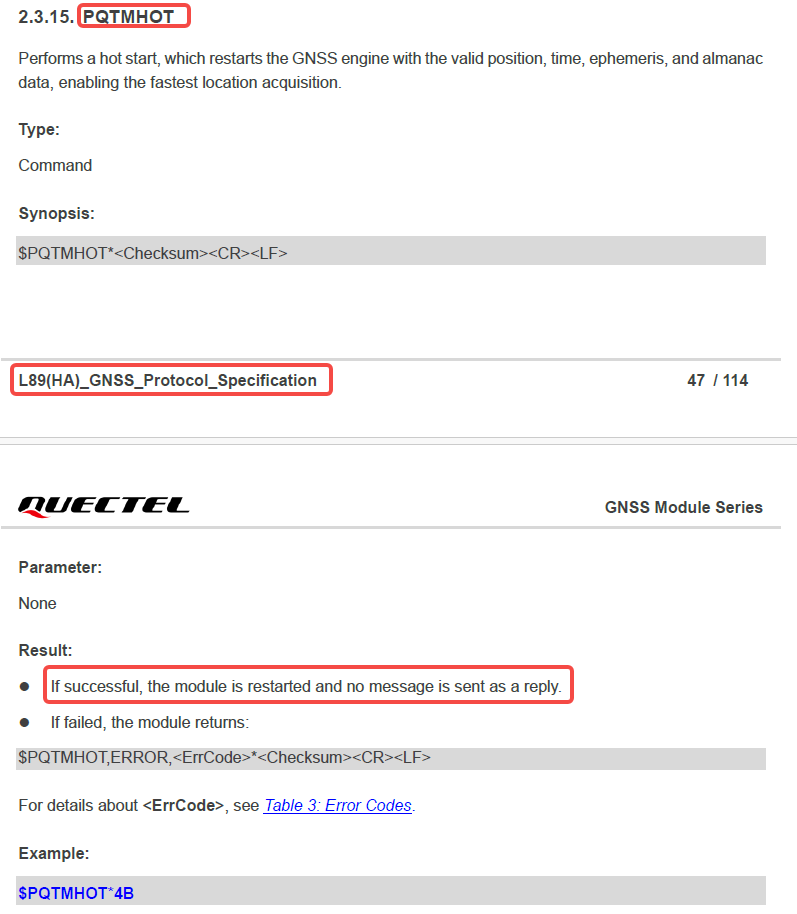
While the module is powered on and has already achieved a 3D fix, send the software Hot Start command via UART:
- Send Command: $PAIR004*3E
- Expected Result: The GNSS engine reboots and uses the stored ephemeris and RTC time in NVRAM.
- If the module gets a fix within 1 to 2 seconds, it confirms that the GNSS engine and memory are functioning properly for Hot Starts.
- Compare with Cold Start: Send $PAIR006*3C. The module will wipe RAM data, taking 30+ seconds to fix.
B. Check Boot Output Messages
Upon restoring VCC, monitor the initial sentences output over UART:
- If the module outputs $PAIR010 requesting aiding data (e.g.,
$PAIR010,0,... for EPO/ephemeris or $PAIR010,1,... for time), it indicates that the RTC RAM navigation data was invalidated during power toggle.
2. Why TTFF > 30s Happens (Root Causes & Solutions)
Even whV_BCKP is physically connected to 3.3V, a Cold Start can be triggered by one of the following hardware/software issues:
Reason 1: Cutting VCC Abruptly Without Saving Navigation Data
Before VCC is cut off, the module needs to transfer active satellite ephemeris, almanac, position, and time into RTC SRAM/NVM. If VCC is cut instantly while the core is processing, navigation data in RAM may not be properly retained.
- Fix: Before switching off VCC, send the save navigation data command:
- Command: $PAIR511*3F (Saves current navigation data from RTC RAM to NVM).
- Or send $PAIR650,0*25 (Prepares CPU/PMU for Backup Mode) before disconnecting VCC.
Reason 2: V_BCKP Voltage Glitch or Dip During VCC Toggling
When VCC switches off or on, power plane transients or ground bounces can cause V_BCKP to momentarily dip. If $V_{BCKP}$ drops below its minimum operating threshold even for a few microseconds, the RTC macro and SRAM reset.
- Fix: Measure V_BCKP with an oscilloscope directly at the module pin during VCC toggling. Ensure a decoupling network (4.7uF + 100nF + 33pF) is placed close to the V_BCKP pin.
Reason 3: Incomplete VCC Discharge or Back-Powering
If VCC does not drop below 100 mV during the OFF state (e.g., held high by residual capacitor charge or leakage from host UART TXD/RXD GPIO lines), the power management unit (PMU) fails to detect a clean power cycle and enters an uninitialized state.
- Fix: Ensure VCC drops below 100 mV for at least 1 second when powered off. Ensure host UART lines are driven low or set to high-impedance when VCC is off to prevent back-powering the module through I/O ESD diodes.
Reason 4: Insufficient Time on First Fix
If VCC is toggled shortly after the first position fix, the module may not have finished downloading the complete broadcast ephemeris for all visible satellites (which takes up to 30 seconds of continuous tracking).
- Fix: Allow the module to run continuously for at least 1–2 minutes after initial fix before testing power toggles.
3. Recommended Test Sequence for Clean Hot Start
To verify proper Backup mode operation on your board, execute this sequence:
- Power ON VCC and wait until the module acquires a valid 3D fix (let it track for 1–2 minutes).
- Send Save Command: Send $PAIR511*3F over UART.
- Send Backup Entry Command: Send $PAIR650,0*25.
- Toggle VCC OFF (keep V_BCKP = 3.3V stable and ensure VCC < 100mV for >1s).
- Toggle VCC ON, then Observe UART output. The module should achieve a Hot Start fix in 1 to 2 seconds.
For more information, you may refer to this protocol documentation: https://www.quectel.com/download/quectel_l89ha_gnss_protocol_specification_v1-1/
Best regards,