Hello, I am an owner of the Quectel RM502Q_AE
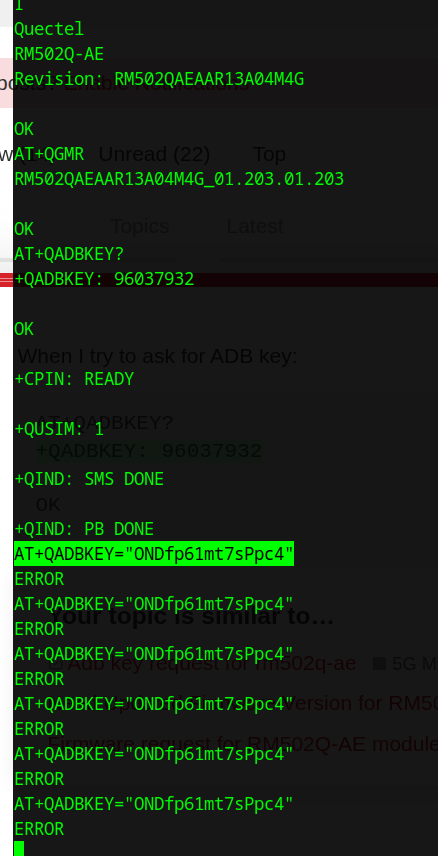
This is my firmware revision:
AT+QGMR

RM502QAEAAR13A04M4G_01.203.01.203

OK
When I try to ask for ADB key:
AT+QADBKEY?
+QADBKEY: 96037932

OK
Then the challenge should be solvable with:
AT+QADBKEY=“ONDfp61mt7sPpc4”
But instead, this is the result:
Prima abilitare…
Hi folks,
I have a RG520N, firmware RG520NEUDBR01A04M8GA, and I am trying to enable ADB, but I cannot detect it from ADb tool
I understand should be the sixth bit in
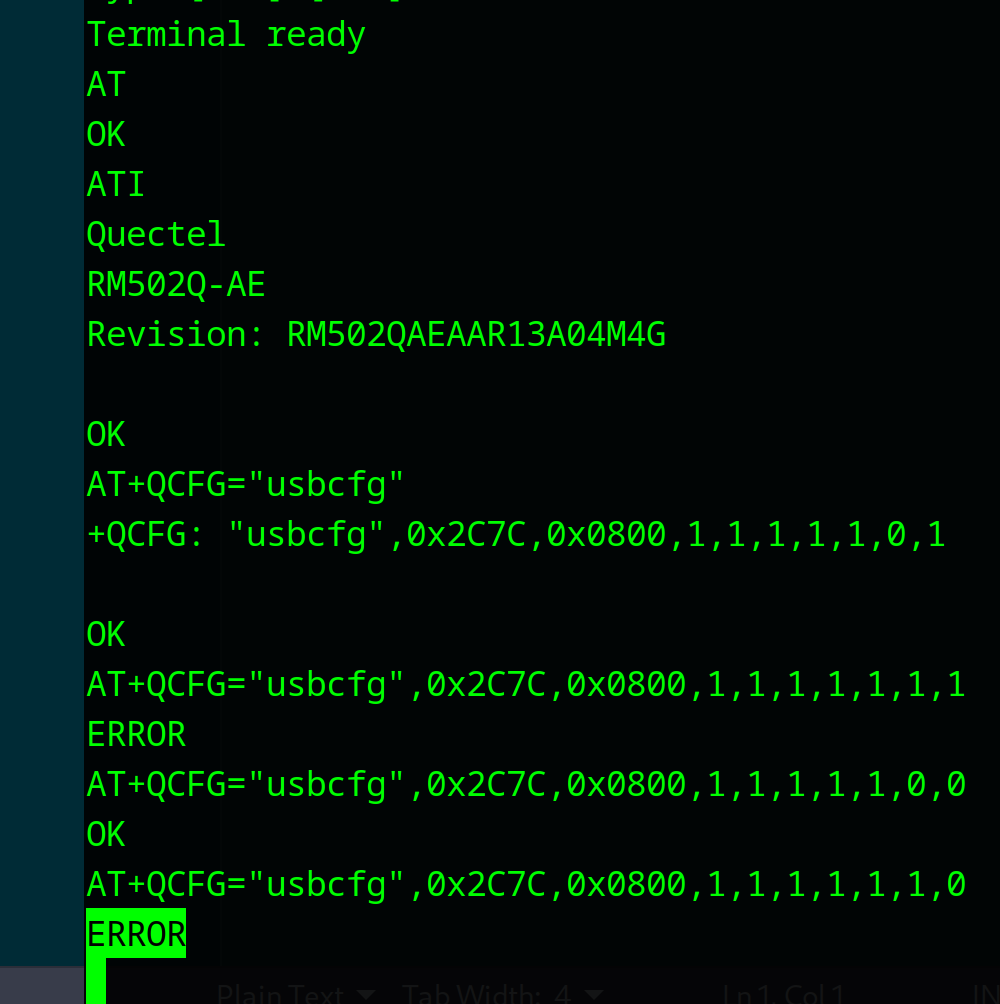
+QCFG: “usbcfg”,0x2C7C,0x0801,1,1,1,1,1,0,0
is this correct ?
Do I need a key for unlocking ADB? Running AT+QADBKEY? returns an error.
Thanks in advance
vedi codice pid, vid
@Emre_Karabek I managed to get AT+QCFG=“usbcfg” to work, but I am unable to set to 1 the ADB bit
Also, I can’t pass the AT+QADBKEY challenge, as I described in my first post.
Check if in the release notes: “AT+QADBKEY was no longer supported.” by the latest fw…
Ok, so ask directly to @Niki.Liu-Q wath is the matter.
@silvia loop silvia to suppot this issue, thanks~
silvia
August 27, 2025, 8:18am
9
Dear @Alessandro
No. The modem has been reset to factory settings to work in usb mode. The only thing that has been asked after AT+QCFG=“ResetFactory” is the command to unlock it. AT+QADBKEY?